Choosing the right physiotherapy practice management software is one of the most consequential decisions a clinic owner or practice manager will make. The software you select will shape how patients experience your clinic, how efficiently your staff operates, how accurately you bill, and how confidently you scale.
Yet many physiotherapy clinics approach this decision reactively. They choose based on price alone, follow a colleague’s recommendation without evaluating their own needs, or adopt a generic healthcare tool that was never designed with physiotherapy workflows in mind.
This guide changes that. Whether you are opening a new clinic, outgrowing your existing system, or evaluating software for the first time, this resource gives you a structured, expert-informed framework to make the right decision with confidence.
Summary
Choosing physiotherapy practice management software comes down to matching the right tool to your clinic’s specific operational, clinical, and financial needs. The most important factors include physiotherapy-specific EMR and documentation features, appointment scheduling, billing and insurance management, telehealth capabilities, compliance with healthcare data regulations, integration flexibility, and long-term scalability. Cloud-based platforms generally offer better accessibility and lower upfront costs than on-premise solutions. Always run a free trial, involve your clinical staff in the evaluation, and calculate the expected return on investment before committing.
What Is Physiotherapy Practice Management Software?
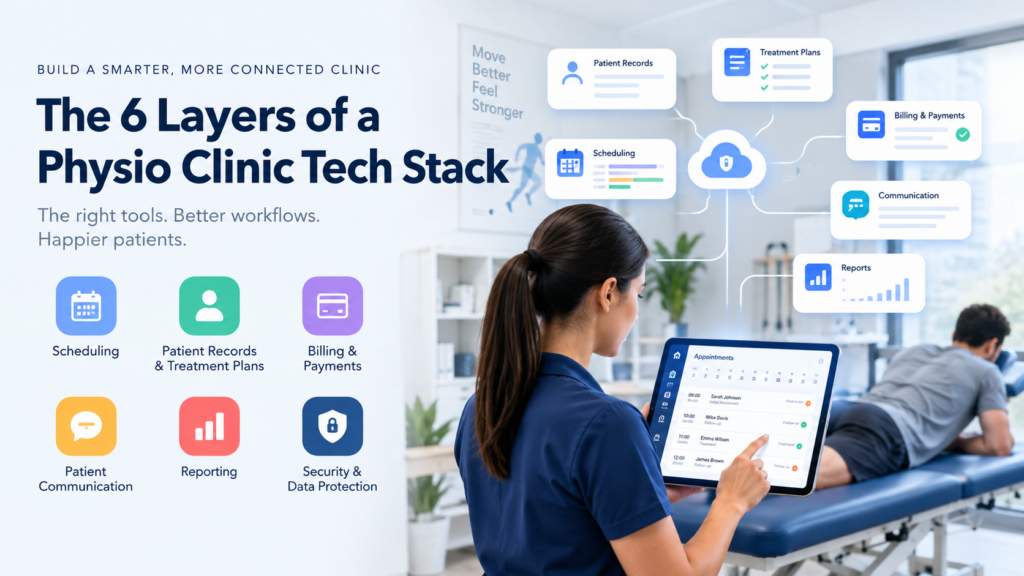
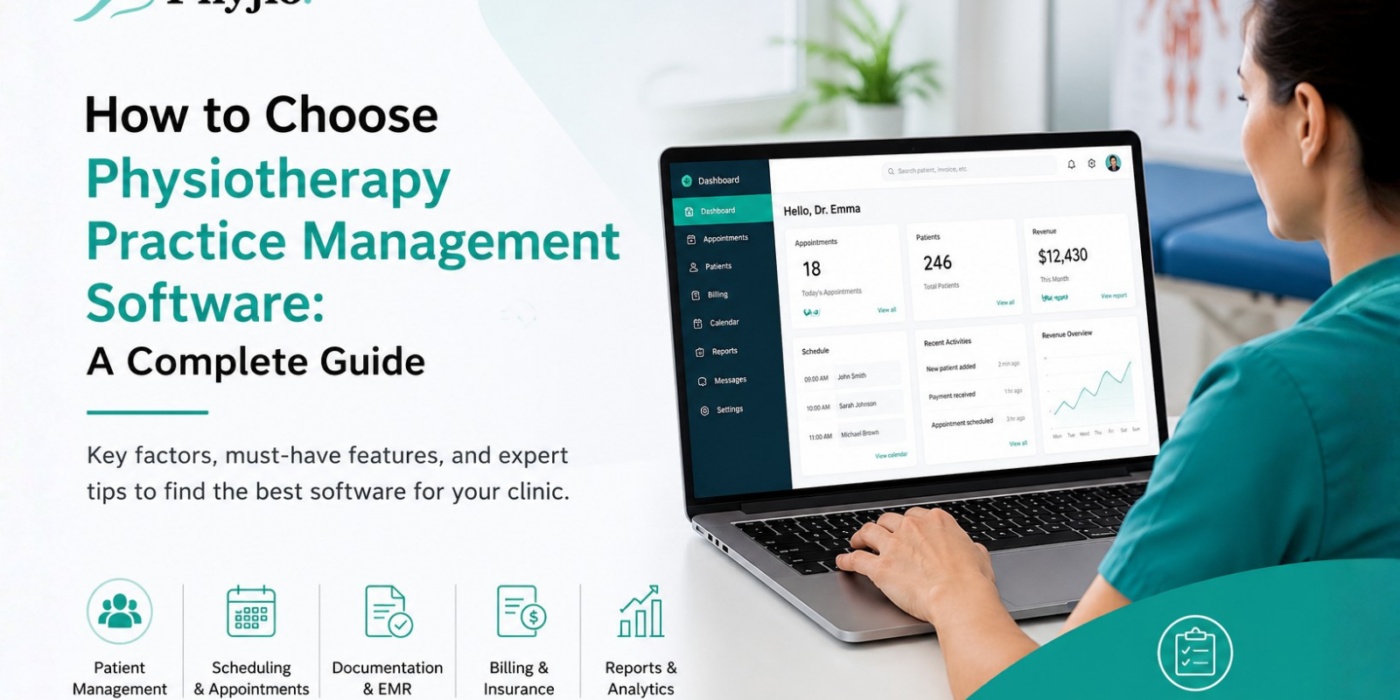
Physiotherapy practice management software is a digital platform that helps physiotherapy clinics manage the full range of their administrative, clinical, and financial operations. It typically includes tools for appointment scheduling, patient records, electronic medical records (EMR), billing, invoicing, insurance claims management, reporting, and patient communication, all within a single integrated system.
Unlike general healthcare software, physiotherapy-specific platforms are designed around rehabilitation workflows, including SOAP note documentation, exercise prescription, outcome tracking, and condition-specific treatment planning.
Modern physiotherapy management systems are increasingly cloud-based, mobile-accessible, and enhanced with artificial intelligence to automate routine tasks and improve clinical decision-making.
Why Choosing the Right Software Matters
The platform your clinic runs on affects nearly every aspect of how you operate. Making the wrong choice creates operational drag, financial waste, and patient dissatisfaction that compounds over time. Here is why the decision deserves serious attention.
Patient Experience
Patients today expect digital convenience. They want to book appointments online, receive automated reminders, access their records through a patient portal, and communicate with their care team without phone calls. Software that lacks these capabilities creates friction in the patient journey and increases no-show rates.
Clinic Efficiency
Manual processes are expensive. Physiotherapy clinic management software automates scheduling, documentation, billing, and follow-up communications. The result is less administrative burden on your front desk, fewer errors, and more time available for patient care.
Revenue Generation
Billing errors, claim rejections, and poor revenue cycle management cost physiotherapy clinics a significant portion of their potential income. Software with integrated billing, insurance verification, and claims management directly reduces revenue leakage and accelerates payment cycles.
Compliance
Healthcare data is among the most sensitive data in existence. Your software must comply with applicable regulations such as HIPAA in the United States, PIPEDA in Canada, GDPR in Europe, or equivalent frameworks in other jurisdictions. Non-compliance carries both financial penalties and reputational damage.
Staff Productivity
Clinicians who spend excessive time on documentation, scheduling corrections, or chasing billing issues have less time for patients. The right physiotherapy software removes that administrative overhead and allows your team to work at the top of their scope.
Long-Term Scalability
A clinic that treats twenty patients a week has different software needs than one managing two hundred. The platform you select today should be capable of growing with you, supporting additional practitioners, locations, patient volumes, and service lines without requiring a complete system change.
Key Factors to Consider When Choosing Physiotherapy Software
Clinic Size and Business Needs
Before evaluating any vendor, define the scale and complexity of your operation. A solo physiotherapist working from a single room has fundamentally different requirements than a multi-location rehabilitation clinic with ten practitioners and a billing team.
Consider the following when assessing your needs.
The number of practitioners currently using the system and the number you expect to add over the next two to three years. The volume of patient appointments per week and the complexity of the conditions you treat. Whether you bill directly to patients, to private insurance, to government health programs, or a combination of all three. Whether you operate across multiple locations or plan to expand geographically.
Matching software to your actual operational profile, rather than buying based on features you may never use, is the foundation of a sound software decision.
Scheduling and Appointment Management
Appointment scheduling is the heartbeat of any physiotherapy clinic. Delays, double bookings, poor cancellation management, and high no-show rates are often symptoms of inadequate scheduling tools rather than staff failure.
Effective physiotherapy scheduling software should include online booking that integrates directly into your clinic website, automated appointment reminders via SMS and email, calendar management across multiple practitioners and rooms, waitlist management, recurring appointment scheduling for ongoing rehabilitation programs, and real-time availability visibility.
When a patient can book, reschedule, or cancel without calling the front desk, your administrative team gains significant time back. More importantly, patients are more likely to keep appointments when the process is frictionless.
EMR and Documentation Features
Clinical documentation is a non-negotiable core function of physiotherapy practice management software. The platform must support the documentation standards physiotherapists use daily.
Look specifically for SOAP note templates, which stand for Subjective, Objective, Assessment, and Plan, and are the standard format for physiotherapy session documentation. The software should also support initial assessment forms, exercise prescription tools with libraries of physiotherapy-specific exercises, progress note templates, discharge summaries, outcome measure tracking, and condition-specific documentation workflows.
Generic EHR platforms built for general practitioners often lack these physiotherapy-specific documentation features. When evaluating software, always ask whether the documentation tools were designed by or in consultation with physiotherapists.
Billing and Insurance Management
Revenue cycle management is one of the areas where the right software has the most measurable financial impact. Physiotherapy billing involves multiple payer types, claim formats, and reimbursement rules that change regularly.
Your software should handle patient invoicing and payment processing, direct insurance billing, explanation of benefits management, claim status tracking, rejection and denial management, and integration with payment gateways for online payments.
In markets with government-funded rehabilitation programs, look for software that supports the specific claim formats and compliance requirements of those programs. If your clinic operates in the United States, Medicare and Medicaid billing compliance is essential.
Patient Communication Tools
Effective patient communication is directly tied to treatment adherence, appointment attendance, and patient satisfaction. Your physiotherapy software should include automated appointment reminders, post-appointment follow-up messages, patient satisfaction surveys, secure two-way messaging, and targeted re-engagement campaigns for inactive patients.
A built-in patient portal that allows patients to view their treatment plans, complete intake forms online, and review their clinical notes between sessions adds significant value and reduces administrative overhead.
Telehealth Capabilities
The adoption of telehealth in physiotherapy accelerated dramatically following the COVID-19 pandemic and has remained a permanent feature of modern rehabilitation care. Many physiotherapy conditions, including post-acute rehabilitation, exercise prescription follow-up, and chronic condition management, can be effectively managed through video consultation.
If your clinic offers or plans to offer telehealth, ensure the software provides integrated video consultation, not a third-party workaround. Integrated telehealth means the appointment, documentation, and billing all remain within the same platform, eliminating the workflow disruption of switching between tools.
Reporting and Analytics
Data-driven practice management is increasingly the differentiator between high-performing clinics and struggling ones. Your software should give you real-time visibility into the metrics that matter.
Core reporting capabilities should include practitioner utilization rates, appointment volume and cancellation trends, revenue by service type, claim acceptance and rejection rates, patient outcome tracking, and staff productivity metrics.
More advanced physiotherapy analytics may include patient lifetime value analysis, referral source tracking, and predictive forecasting for appointment demand. These capabilities are particularly valuable for clinic owners planning expansion or managing resource allocation.
Mobile Accessibility
Physiotherapists do not spend their working day at a desk. Clinical staff move between treatment rooms, conduct home visit programs, and frequently need access to patient records and documentation tools on a mobile device.
Prioritize software that offers a fully functional mobile application, not just a mobile-responsive website. A true mobile application allows offline access to records, mobile SOAP note entry, and on-the-go scheduling management, which is critical for practitioners working in community rehabilitation settings.
Security and Compliance
All physiotherapy software must meet the healthcare data protection standards applicable in your jurisdiction. In the United States, that means HIPAA compliance. In Europe, GDPR compliance. In Canada, PIPEDA compliance. In Australia, the Privacy Act and Australian Privacy Principles apply.
Beyond regulatory compliance, evaluate the vendor’s security infrastructure. Cloud-based platforms should use end-to-end encryption, role-based access controls, multi-factor authentication, and regular automated backups. Ask vendors directly about their data breach response protocols, server locations, and third-party security certifications.
Integration Capabilities
No software platform operates in complete isolation. Your physiotherapy management system will likely need to connect with accounting software, payment gateways, referring physician platforms, laboratory services, health fund portals, and marketing tools.
Evaluate each vendor’s integration ecosystem carefully. An open API allows your technical team to build custom integrations when pre-built options are unavailable. Pre-built integrations with tools like Xero, QuickBooks, Stripe, or Medipass save implementation time and reduce technical complexity.
Vendor Support and Training
Software is only as good as the support structure behind it. Implementation failures in healthcare technology are often not caused by poor software but by inadequate onboarding, training, and ongoing support.
Before committing to any platform, understand what onboarding support is included, whether dedicated training sessions are provided, what the average response time is for support tickets, whether support is available during your clinic hours, and whether there is an accessible knowledge base or training library your staff can use independently.
Switching physiotherapy software after go-live is disruptive, expensive, and time-consuming. Investing in proper training at the outset dramatically reduces that risk.
Must-Have Features Checklist
|
Feature |
Why It Matters |
Priority Level |
|---|---|---|
|
Online appointment booking |
Reduces front desk workload and improves patient convenience |
Critical |
|
Automated appointment reminders |
Reduces no-show rates by 20 to 40 percent |
Critical |
|
SOAP note documentation |
Standard clinical documentation format for physiotherapy |
Critical |
|
Physiotherapy-specific templates |
Speeds documentation and ensures clinical accuracy |
Critical |
|
Insurance and private billing |
Accurate claims submission reduces revenue leakage |
Critical |
|
Patient portal |
Improves patient engagement and reduces admin tasks |
High |
|
Telehealth integration |
Enables remote consultation without workflow disruption |
High |
|
Mobile application |
Supports clinicians working across rooms or locations |
High |
|
Exercise prescription library |
Reduces documentation time and improves patient adherence |
High |
|
Reporting and analytics dashboard |
Provides visibility into clinic performance metrics |
High |
|
Multi-practitioner calendar |
Manages complex scheduling across a team |
High |
|
Role-based access controls |
Protects sensitive patient data from unauthorized access |
Critical |
|
HIPAA or equivalent compliance |
Legal requirement in most jurisdictions |
Critical |
|
Integration with accounting software |
Eliminates duplicate data entry and billing errors |
Medium |
|
Waitlist management |
Maximizes appointment capacity and reduces idle slots |
Medium |
|
Outcome measure tracking |
Documents clinical effectiveness for payers and quality programs |
Medium |
|
Referral tracking |
Identifies top referral sources to guide marketing investment |
Medium |
|
Automated billing workflows |
Reduces manual billing tasks and claim submission time |
High |
|
Patient satisfaction surveys |
Provides actionable feedback to improve clinic performance |
Medium |
|
Cloud-based data backup |
Protects clinical data against hardware failure or loss |
Critical |
Cloud-Based vs On-Premise Physiotherapy Software
|
Factor |
Cloud-Based Software |
On-Premise Software |
|---|---|---|
|
Upfront cost |
Low. Subscription-based with no hardware investment |
High. Requires server hardware and installation |
|
Ongoing cost |
Monthly or annual subscription fee |
IT maintenance, server costs, and manual updates |
|
Accessibility |
Access from any device with an internet connection |
Limited to clinic network or VPN |
|
Security |
Managed by vendor with enterprise-grade infrastructure |
Responsibility falls entirely on the clinic |
|
Maintenance |
Vendor-managed with automatic updates |
Requires dedicated IT support |
|
Scalability |
Highly scalable. Add users or locations quickly |
Scaling requires hardware investment |
|
Backup and recovery |
Automated cloud backups with disaster recovery |
Manual backup process with higher data loss risk |
|
Implementation speed |
Fast. Often live within days or weeks |
Slow. Installation and configuration can take months |
|
Reliability |
High. Vendor SLA guarantees uptime |
Depends on local hardware and IT support quality |
|
Best suited for |
Most physiotherapy clinics, particularly growing ones |
Large hospital systems with dedicated IT infrastructure |
For the vast majority of physiotherapy clinics, cloud-based software is the preferred choice. It reduces total cost of ownership, simplifies compliance management, and allows clinical staff to access records from any location.
Physiotherapy EMR vs Practice Management Software
These two terms are often used interchangeably but refer to distinct sets of functionality. Understanding the difference helps you evaluate whether a platform meets your full operational needs or only part of them.
|
Functionality |
EMR Software |
Practice Management Software |
|---|---|---|
|
Clinical documentation |
Core function. Includes SOAP notes, assessments, and treatment plans |
Basic or absent |
|
Appointment scheduling |
Limited or absent |
Core function |
|
Billing and claims management |
Absent or limited |
Core function |
|
Patient records |
Core function |
Core function |
|
Revenue cycle management |
Absent |
Core function |
|
Insurance management |
Absent or limited |
Core function |
|
Reporting and analytics |
Clinical outcomes focus |
Financial and operational focus |
|
Patient portal |
Sometimes included |
Often included |
|
Telehealth |
Sometimes included |
Sometimes included |
|
Exercise prescription |
Core function in physio EMR |
Absent |
|
Best suited for |
Clinical documentation workflows |
Administrative and financial management |
Modern physiotherapy clinic software platforms increasingly combine both EMR and practice management functionality into a single integrated system. This eliminates the need for separate platforms, reduces data duplication, and provides a unified view of both clinical and operational performance.
When evaluating vendors, always confirm whether the platform you are reviewing is a full-suite solution or whether you will need to integrate a separate EMR to cover your clinical documentation needs.
Questions to Ask Before Buying Physiotherapy Software
Use this checklist during vendor conversations and product demonstrations.
Clinical functionality questions:
Was this software designed specifically for physiotherapy clinics, or is it a general healthcare platform?
Does it include SOAP note templates and physiotherapy-specific documentation workflows?
Can documentation templates be customized to reflect our clinical protocols?
Does it include an exercise prescription library with physiotherapy-specific content?
Does it support outcome measure tracking for conditions commonly treated in our clinic?
Operational questions:
Does the platform include online booking that integrates with our website?
What does the appointment reminder workflow look like for SMS and email?
How does the system handle cancellations, rescheduling, and waitlist management?
Can we manage multiple practitioners and multiple locations from a single account?
Billing and compliance questions:
Does the software support the insurance and billing formats relevant to our market?
How does it handle claim rejections and billing disputes?
Is it fully compliant with HIPAA, GDPR, or the applicable data protection framework in our jurisdiction?
Where is patient data stored, and how is it encrypted?
What is the vendor’s process in the event of a data breach?
Vendor support questions:
What does the onboarding and implementation process look like?
How long does it typically take for a clinic of our size to go live?
What training resources are available for clinical and administrative staff?
What are the support hours, and what is the average response time for support tickets?
What is the product roadmap, and how frequently are updates released?
Commercial questions:
What is included in the base subscription, and what features require additional payment?
Are there setup fees, data migration fees, or training fees beyond the subscription cost?
What is the minimum contract length, and what are the cancellation terms?
Is there a free trial available, and what does it include?
Common Mistakes Clinics Make When Choosing Software
Choosing based only on price. The lowest-cost option is rarely the best long-term value. A system that saves fifty dollars per month but costs your billing team five extra hours per week in manual corrections is not a saving. Evaluate total cost of ownership, not just the subscription fee.
Ignoring scalability. A platform that perfectly serves a two-practitioner clinic may buckle under the demands of a six-practitioner multi-location operation. Always choose software that can grow with you, even if you do not need every feature today.
Choosing a general EHR instead of physiotherapy-specific software. General healthcare platforms lack the physiotherapy-specific documentation tools, exercise libraries, and rehabilitation workflow features that specialist software provides. This forces practitioners to work around the system rather than within it.
Overlooking integrations. If your billing software cannot connect to your accounting platform, or your scheduling tool cannot connect to your patient communication system, you create data silos that increase administrative labor and error rates.
Not involving clinical staff in the decision. Practice managers and owners often make software purchasing decisions without consulting the physiotherapists who will use the system daily. This leads to poor adoption, workarounds, and resistance that undermines the value of the investment.
Skipping the free trial. A demonstration shows you what the vendor wants you to see. A free trial shows you how the software performs under real clinical conditions with real data and real workflows.
Underestimating implementation complexity. Migrating patient records, reconfiguring billing workflows, and retraining staff takes time. Clinics that underestimate this transition period experience revenue disruption and staff frustration that could have been avoided with better planning.
Failing to verify compliance credentials. Not all software vendors maintain the compliance certifications they claim. Always request documentation of HIPAA compliance, security certifications, or relevant regulatory approvals before signing a contract.
Step-by-Step Software Evaluation Process
Step 1: Define Clinic Requirements
Before opening a browser or contacting a vendor, document your clinical and operational requirements in writing. List every function your clinic needs the software to perform, from SOAP note documentation to insurance billing. Distinguish between non-negotiable requirements and nice-to-have features.
Step 2: Create a Feature Checklist
Use the must-have features checklist in this guide as a starting point and adapt it to your specific workflow. Assign a priority level to each feature. This checklist becomes your evaluation scorecard when comparing vendors.
Step 3: Compare Vendors
Research physiotherapy software vendors using your feature checklist as the evaluation framework. Review independent user ratings on platforms like G2, Capterra, and Software Advice. Read case studies from clinics of a similar size and specialty to yours. Shortlist three to five vendors that meet your core requirements.
Step 4: Request Demos
Contact your shortlisted vendors and request a live demonstration. Ask them to walk through the specific workflows most relevant to your clinic, such as booking a new patient, completing a SOAP note, processing an insurance claim, or generating a monthly revenue report. Use your feature checklist to score each demo.
Step 5: Run a Trial
Request access to a free trial or pilot period. Involve your clinical and administrative staff in testing the system with realistic scenarios. Assess usability, speed, reliability, and the quality of the mobile experience. Collect structured feedback from every team member who participates in the trial.
Step 6: Calculate ROI
Estimate the financial return of implementing each shortlisted platform. Consider time saved on administrative tasks, reduction in no-show rates through automated reminders, improvement in claim acceptance rates, reduction in billing errors, and revenue gained through better capacity utilization. Compare this against the total cost of the software, including setup, training, and ongoing subscription costs.
Step 7: Make the Final Decision
Combine your feature evaluation scores, trial feedback, compliance verification, support assessment, and ROI calculation into a final decision matrix. Select the platform that delivers the best combination of clinical functionality, operational efficiency, compliance assurance, and long-term value.
Pricing Considerations
Physiotherapy software pricing varies significantly based on the platform, the features included, the number of users, and the contract structure. Understanding the full cost picture before signing is essential.
|
Cost Component |
Description |
What to Watch For |
|---|---|---|
|
Monthly subscription |
Recurring fee per user or per clinic |
Confirm what is included. Some vendors charge per practitioner, others per clinic |
|
Annual subscription |
Discounted rate for committing to a full year |
Check cancellation terms if you pay annually upfront |
|
Setup and implementation fee |
One-time charge for account configuration and data migration |
Some vendors waive this for smaller clinics. Negotiate before signing |
|
Training costs |
Cost of onboarding and training sessions for your team |
Confirm how many sessions are included and whether group or individual training is provided |
|
Support tier |
Basic support may be included but priority support may cost extra |
Understand what level of support is available at your price point |
|
Add-on modules |
Telehealth, advanced analytics, or SMS reminders may be extra |
Add up all the modules you actually need before comparing base prices |
|
Data migration fee |
Charge for migrating records from your existing system |
Always ask about this upfront. It can be a significant cost for established clinics |
|
Integration fees |
Connecting to third-party tools may carry additional costs |
Confirm whether integrations with your accounting or payment systems are included |
|
Contract length |
Minimum commitment period |
Month-to-month contracts offer flexibility. Annual contracts often offer better pricing |
When comparing vendors on price, always calculate the total annual cost of everything you need, not just the advertised monthly rate. A platform that appears cheaper on a per-seat basis may become significantly more expensive once add-on modules, support tiers, and integration fees are included.
How AI Is Improving Physiotherapy Practice Management Software
Artificial intelligence is no longer a feature of future healthcare technology. It is already embedded in leading physiotherapy management systems and is measurably improving clinic operations in several key areas.
AI documentation assistance helps physiotherapists generate SOAP notes and clinical summaries faster by using voice recognition and natural language processing to convert spoken clinical observations into structured documentation. This reduces the time practitioners spend on administrative documentation after each session.
Predictive scheduling uses historical appointment data and patient behavior patterns to forecast demand, identify high-risk cancellation slots, and suggest optimal appointment times for patients with known attendance challenges. Clinics using predictive scheduling tools report meaningful improvements in appointment utilization and a reduction in last-minute cancellations.
Automated reminders driven by intelligent timing algorithms, rather than simple fixed-interval notifications, significantly reduce no-show rates. AI-powered reminder systems learn which patients respond to SMS versus email, which reminder timing is most effective for each individual, and how to adapt messaging for different appointment types.
Revenue optimization tools powered by AI can identify billing patterns associated with claim rejections, flag incomplete documentation before submission, and recommend coding adjustments that improve reimbursement accuracy. This has a direct and measurable impact on clinic revenue.
Analytics and forecasting capabilities allow practice owners and clinic managers to identify emerging trends in patient volume, practitioner productivity, and revenue performance before they become problems. AI-generated forecasts support better resource planning and staffing decisions.
Patient engagement automation uses behavioral data to trigger personalized outreach to at-risk patients who may be disengaging from their treatment plan. Automated re-engagement campaigns driven by AI have been shown to improve patient retention and completion of rehabilitation programs.
Future Trends in Physiotherapy Clinic Software
The physiotherapy software market is evolving rapidly. Understanding where the technology is heading helps you choose a vendor with a forward-looking product roadmap rather than one that will fall behind the market within a few years.
AI-powered clinical workflows will become standard rather than premium. Natural language processing, automated note generation, and intelligent clinical decision support will be embedded throughout the documentation and treatment planning process.
Remote rehabilitation is growing as a permanent service delivery model. Software platforms that seamlessly integrate remote monitoring tools, wearable device data, and telehealth consultation into a unified patient record will be essential for clinics delivering hybrid care models.
Telehealth growth will continue. Regulatory frameworks that enabled telehealth reimbursement during the pandemic have largely been maintained in many markets, and patient demand for virtual consultation options remains strong. Platforms with native telehealth capabilities will have a structural advantage.
Voice documentation will reduce the administrative burden of clinical note-taking. Voice-to-text tools designed specifically for physiotherapy terminology and clinical structure will become increasingly accurate and widely adopted, allowing practitioners to document during or immediately after a session without manual typing.
Predictive analytics will shift from descriptive reporting, telling you what happened, to genuinely predictive insight, telling you what is likely to happen and what you should do about it. Clinics that use these tools will have a measurable operational and financial advantage over those that rely on manual reporting.
Integrated patient engagement platforms will merge appointment management, clinical communication, patient education, home exercise programs, and outcome monitoring into a single connected experience. The distinction between practice management software and patient engagement platform will increasingly blur.
Frequently Asked Questions
What is physiotherapy practice management software?
Physiotherapy practice management software is a digital platform designed to manage the clinical, administrative, and financial operations of a physiotherapy clinic. It typically includes appointment scheduling, EMR and documentation, billing, patient communication, reporting, and practice analytics within a single integrated system.
What is the difference between physiotherapy EMR software and practice management software?
EMR software focuses on clinical documentation, including patient records, SOAP notes, treatment plans, and outcome tracking. Practice management software focuses on administrative and financial operations, including scheduling, billing, and revenue cycle management. Many modern physiotherapy platforms combine both into a single system.
Is cloud-based physiotherapy software better than on-premise software?
For most physiotherapy clinics, cloud-based software is the better choice. It offers lower upfront costs, automatic updates, remote accessibility, vendor-managed security, and simpler scalability. On-premise software may suit large hospital systems with dedicated IT infrastructure but is rarely the right choice for independent or growing physiotherapy practices.
How long does it take to implement physiotherapy practice management software?
Implementation timelines vary based on clinic size and software complexity. Cloud-based platforms can often be configured and go live within one to four weeks. Data migration from an existing system, staff training, and workflow reconfiguration may extend this timeline. Work with your vendor to establish a realistic implementation schedule before signing.
Can physiotherapy software handle insurance billing?
Yes, most physiotherapy clinic management software platforms support insurance billing. The specific payer types, claim formats, and compliance requirements they support vary by market. Always confirm that the software handles the specific insurance schemes relevant to your clinic, including any government-funded rehabilitation programs.
Does physiotherapy software support telehealth?
Many physiotherapy software platforms now include integrated telehealth functionality. Look for platforms where the video consultation is built into the scheduling and documentation workflow rather than being managed through a separate third-party application. Native telehealth integration ensures that appointments, notes, and billing remain within a single system.
How do I migrate patient records to new physiotherapy software?
Most vendors offer data migration support as part of their onboarding process, though this may carry an additional fee. Before migrating, audit your existing data for accuracy and completeness. Work with the vendor to map your data fields to the new system structure. Always run a parallel period where both systems are accessible before fully decommissioning your old platform.
What compliance certifications should physiotherapy software have?
In the United States, look for HIPAA compliance certification. In Europe, confirm GDPR compliance. In Canada, PIPEDA compliance applies. In Australia, compliance with the Privacy Act and Australian Privacy Principles is required. Beyond jurisdiction-specific compliance, look for ISO 27001 certification or equivalent evidence of robust information security management practices.
How many users can be added to a physiotherapy software platform?
This varies significantly by vendor and pricing tier. Some platforms are designed for single practitioners while others support unlimited users across multiple locations. Always confirm user limits at your chosen pricing tier and understand the cost of adding practitioners as your clinic grows.
What is the ROI of physiotherapy practice management software?
ROI varies by clinic size and operational baseline. Clinics typically see return through reduced no-show rates following automated reminder implementation, faster reimbursement through streamlined billing, reduced administrative labor, improved practitioner utilization through better scheduling, and higher patient retention through improved communication tools. Calculate your specific ROI by modeling the financial impact of each of these improvements against the total annual cost of the software.
What questions should I ask during a physiotherapy software demo?
Ask the vendor to demonstrate the SOAP note documentation workflow, the insurance billing and claim submission process, the online booking and reminder setup, the reporting dashboard, the mobile application experience, and the telehealth consultation flow. Ask specifically how the software handles claim rejections, waitlist management, and multi-location scheduling if these are relevant to your clinic.
Final Conclusion
Selecting physiotherapy practice management software is not a procurement task. It is a strategic business decision that will influence the quality of patient care your clinic delivers, the efficiency of your clinical and administrative team, the accuracy of your revenue cycle, and your ability to scale.
The right platform eliminates the friction between clinical care and business operations. It frees physiotherapists from excessive documentation burden. It reduces the administrative load on your front desk. It accelerates billing and reduces errors that cost your clinic real money. And it gives you the data visibility to make informed decisions about where to invest, where to improve, and how to grow.
The wrong platform creates the opposite effect. It forces staff to build workarounds. It generates billing errors that slow revenue. It frustrates patients with poor booking experiences. And it becomes an obstacle to growth rather than an enabler of it.
The evaluation framework in this guide gives you a structured path to the right decision. Define your requirements before contacting vendors. Use a detailed feature checklist to score every platform you evaluate. Involve your clinical staff in the trial process. Verify compliance credentials before signing. Calculate ROI with realistic assumptions. And give yourself enough time to make the decision carefully rather than reactively.
Physiotherapy practices that invest in the right technology platform consistently outperform those that do not, across every meaningful metric including patient outcomes, practitioner productivity, and financial performance.
Approach this decision with the same rigor you apply to clinical care. The long-term impact on your clinic will be significant.