
Physiotherapy Software for Small Clinics
Give every therapist their own login while you see the whole clinic. Phyjio covers records, scheduling, billing and reports for small physio clinics.
Before you read on
Yes. Each therapist can have their own login and manage their schedule and patients, while you get a full clinic overview.
Yes. Phyjio is built only for physiotherapy clinics.
Phyjio works well for solo physiotherapists, small clinics and growing teams.
Phyjio is designed for small physiotherapy clinics and growing teams. Each therapist can have their own login to manage their schedule and patients, while the clinic owner gets a full overview of records, appointments, billing and reports in one system.
Key takeaways
- Each therapist can have their own login.
- Owners get a full clinic overview.
- Patient records, appointments, billing and reports in one place.
- Built specifically for physio workflows, not adapted from generic healthcare software.
- Free trial, no credit card, free onboarding support.
See it in Phyjio
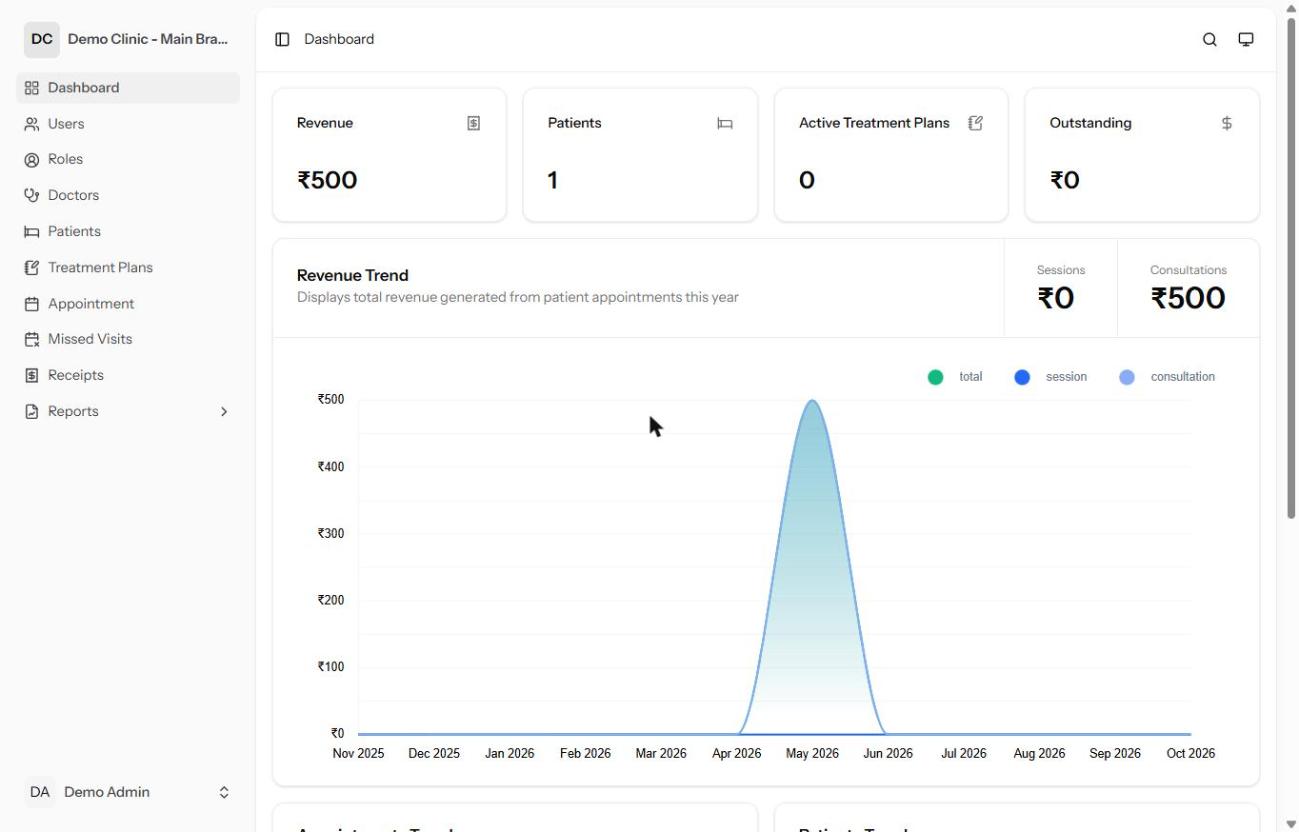
- Summary cards for Revenue, Patients, Active Treatment Plans and Outstanding.
- A Revenue Trend chart split into sessions and consultations.
- Appointments Trend and Patients Trend charts.
- Separate Patient Report and Revenue Report pages, generated by daily, monthly or yearly frequency and a start and end date.
The challenge for small physiotherapy clinics
Small clinics usually have great therapists but run on separate tools: patient records in one place, payments in another, schedules somewhere else. That leads to missed appointments, delayed payments and wasted time.
How a small clinic uses Phyjio
- Therapists: manage their own schedule and patients through their own login.
- Front desk or owner: book appointments, assign them to the right therapist and keep the calendar conflict-free.
- Owner: review invoices, payment status and revenue, and use reports to see how the clinic is doing.
Built for physiotherapy workflows
Phyjio says it is built specifically for physio workflows, designed around how physio sessions, treatment plans and patient records work in real clinics, rather than adapted from generic healthcare software or retrofitted from a hospital system.
Setting up your clinic
Add your clinic details, branches and therapy team, then define services, session types and pricing. Phyjio says most practices are fully operational within a day. Patient data is currently added manually.
Team setup: users, roles and doctors
Three pages in the Phyjio dashboard cover the people side of a growing clinic.
| Page | What it manages |
|---|---|
| Users | Your team members: name, email, assigned roles, status and the date each account was created |
| Roles | System roles and permissions, so each person sees what their job requires |
| Doctors | Professional records with name, email, phone, clinic name, city and status |
Separate logins for every therapist
On phyjio.com, the answer to whether several therapists can use the system is yes: each therapist can have their own login. They manage their own schedule and patients, while the clinic owner gets a full overview. That keeps day-to-day work personal and keeps management visibility in one place.
- Give each team member an account instead of sharing one password.
- Assign roles so permissions follow responsibilities.
- Use the status field to switch off access for someone who has left without deleting history.
Keeping the front desk and therapists aligned
A shared diary and shared records mean the desk and the treatment room are always looking at the same facts. The Appointment page can be filtered by staff member, so a therapist can see their own day while the desk sees everyone's. The Missed Visits page names the therapist for each missed session, so follow-up has an owner.
Growing without growing the paperwork
The usual pain points of a growing clinic are more people editing the same spreadsheet, more calls to confirm times and more uncertainty about who has paid. Moving these into one system means adding a therapist is a matter of creating a user, not of redesigning files and habits. Start with your current team, bring one workflow across at a time, and keep the rest of your routine until you are comfortable.
Frequently asked questions
Can multiple therapists use Phyjio?
Yes. Each therapist can have their own login and manage their schedule and patients, while you get a full clinic overview.
Is Phyjio made for physiotherapy clinics only?
Yes. Phyjio is built only for physiotherapy clinics.
What clinic sizes does Phyjio suit?
Phyjio works well for solo physiotherapists, small clinics and growing teams.
Does it handle billing as well as scheduling?
Yes. You can create invoices, track payments and manage appointments and schedules in one place.
How long does setup take?
Phyjio says most clinics can get started within a day.
Give your team one system that works as hard as they do
Start a free trial with no credit card required, and get free onboarding support from the Phyjio team.
Start Free TrialBook a Demo