
Short answer: To digitise a physiotherapy clinic, list every paper and spreadsheet process you use, choose software that covers records, appointments and billing, set up your clinic details, move active patients first, train your team, then run the old and new systems briefly side by side before retiring the paper. Plan for a few weeks, not a day.
Key takeaways
-
Digitising is a process change, not only a software purchase. Decide who does what in the new system before you switch.
-
Start with an audit of every paper file, spreadsheet and diary so that nothing is forgotten.
-
Move active patients first, and archive the rest. You do not have to enter every record you have ever created.
-
Check how your chosen software brings patient data in. Phyjio’s FAQ currently says patient data is added manually, with easier import planned.
-
Pick a go-live date, run old and new in parallel for a short, fixed time, then stop using the old system.
-
Measure a few numbers before and after, so you can see whether the change helped.
What does it mean to digitise a physiotherapy clinic?
To digitise a clinic is to move the day-to-day records and routines that live on paper, in spreadsheets and in diaries into one system. For a physiotherapy clinic, that normally means patient records and session notes, appointments, billing and payments, and reports.
The reason clinics do it is the problem Phyjio’s homepage describes: patient history, notes and treatment plans spread across paper files, Google Sheets and email threads are hard to access quickly when it matters most. Payments and sessions drift apart, and scheduling by phone and calendar apps leads to double bookings and missed appointments.
If you want a deeper look at the trade-offs, our comparison of AI versus manual clinic records covers errors and time savings.
How do you know it is time to digitise?
Most clinics notice the same warning signs before they act. If several of these sound familiar, your current system is costing you time.
-
Finding a patient’s history means searching through folders or several files.
-
Two people have booked the same slot, or a therapist’s diary and the front-desk diary disagree.
-
Sessions have been delivered but not invoiced, or you are not sure which bills are unpaid.
-
Each therapist keeps their own spreadsheet or notebook.
-
You cannot quickly say how many patients you saw last month or how much you collected.
-
Reports take hours to build by hand.
Step 1: What do you have now? Audit your paper and spreadsheets
Before you choose anything, write down what you actually use. Walk around the clinic and list every place information lives. The table gives a starting framework.
|
Area |
Where it lives today |
Who updates it |
What goes wrong |
|---|---|---|---|
|
Patient details and history |
Paper forms, folders, spreadsheets |
Front desk, therapists |
Hard to find, hard to read |
|
Session notes |
Notebooks, paper, files |
Each therapist |
Different formats, not shared |
|
Treatment plans and goals |
Paper, documents |
Therapists |
Progress hard to see |
|
Appointments |
Diary, phone calendar |
Front desk |
Double bookings, no reminders |
|
Invoices and payments |
Bill books, spreadsheets |
Front desk, owner |
Unbilled sessions, unknown balances |
|
Reports |
Hand-built from the above |
Owner or manager |
Slow and error-prone |
The “what goes wrong” column is your business case. Write the specifics for your clinic, because those become the things you check after the switch.
Step 2: Decide what moves, and what does not
You do not need to enter every record you have ever created. A simple rule keeps the work manageable:
-
Active patients: anyone with an upcoming appointment or a current treatment plan. These move first.
-
Recent patients: seen in a period you choose, such as the last year. Move these next, if you have time.
-
Everyone else: keep the originals stored safely and enter a patient only when they return.
This matters because data entry takes real time. Phyjio’s FAQ says that, currently, patient data is added manually, with a way to import existing records planned for an upcoming update. So budget for typing. As a fictional example, if you have 150 active patients and each record takes ten minutes to enter, that is 1,500 minutes, or 25 hours. Split across four people over two weeks, it is about 6 hours each. These numbers are invented, so use your own.
Note that the “How it works” section of the Phyjio homepage mentions a guided import tool for migrating existing records, while the FAQ describes manual entry for now. Whichever software you consider, ask for the current import options in a demo, and plan for manual entry if the answer is unclear.
Step 3: Choose software that fits your clinic
A good selection process starts with your audit, not a feature list. Look for software that covers the areas you identified, and test it with a real day’s work. Questions worth asking:
-
Does it cover patient records, session notes and treatment plans?
-
Can it schedule by therapist, handle waitlists and send reminders?
-
Can it create invoices per session or per package, and show paid, partial and overdue status?
-
Does it support the number of therapists and branches you have?
-
Can each person have their own login?
-
What reports does it produce?
-
How does data get in, and how can you export it if you leave?
-
What onboarding help and support are offered, and is there a free trial?
For a fuller comparison framework, read our guide on how to choose physiotherapy practice management software, the breakdown of free versus paid physiotherapy software and the physio clinic tech stack overview.
Step 4: Set up the system around your clinic
Setup is where the software becomes yours. According to the Phyjio homepage, the first step is to add your clinic details, branches and therapy team, then define your services, session types and pricing structure. Whatever product you use, do the equivalent before you enter patients:
-
Enter the clinic’s details and any branches.
-
Add each therapist and give them their own login.
-
Create your list of services and session types, such as initial assessment and follow-up.
-
Set your prices, including any package prices.
-
Set the working hours and availability for each therapist.
Phyjio’s FAQ says most clinics can get started within a day. Treat that as the vendor’s own estimate and check it against your clinic’s size and how much data you plan to move.
Step 5: Clean your data and move it in
Do not copy mess into a new system. Clean first, while the data is still on paper or in a spreadsheet.
-
Remove duplicates. The same patient often appears twice under slightly different spellings.
-
Standardise names and phone numbers. Pick one format and stick to it.
-
Check contact details. Reminders only work if the number or email is right.
-
Decide a naming rule for services and use it everywhere.
Then enter active patients in priority order, starting with those who have appointments in the next two weeks. Assign one person to check a sample of entries against the originals. Keep the originals untouched and read-only until the switch is complete.
Patient records are personal data, so handle both the originals and the new system with care. Our guide to the DPDP Act for physiotherapy clinics explains the safeguards to plan for.
Step 6: Train the team
Software fails more often because of habits than because of features. Train each role on what they will actually do.
-
Front desk: booking, rescheduling, waitlists, invoices and payments.
-
Therapists: opening a patient record, writing session notes, updating progress against treatment goals.
-
Owner or manager: reports, overdue payments and the clinic-wide view.
Keep sessions short and practical. Use a dummy patient for practice, and write a one-page cheat sheet for each role. If you do not yet have written routines, our guide to physio clinic systems and processes shows how to document who does what.
Step 7: Pick a go-live date and run both systems briefly
Choose a date and tell everyone. From that date, all new bookings, notes and invoices go into the new system. Run the old system alongside it for a short, fixed period, such as one to two weeks, so you can check that appointments and balances match. Then stop. Parallel running that never ends doubles the work and teaches the team that the new system is optional.
During the overlap, review three things daily: whether every appointment in the old diary exists in the new one, whether every attended session has an invoice or package entry, and whether anyone had trouble finding something.
Step 8: Retire the paper safely
Once you are confident, stop writing on paper. Store the originals securely rather than throwing them away. Rules on how long clinical and billing records must be kept differ by location and profession, so check what applies to you before destroying anything. When you do dispose of records, do it in a way that protects patient privacy.
A 30-day plan for digitising your clinic
|
Week |
Focus |
Outputs |
|---|---|---|
|
Week 1 |
Audit and choose |
Inventory of records, shortlist, trial, decision |
|
Week 2 |
Set up and clean data |
Clinic, therapists, services, prices configured; patient list cleaned |
|
Week 3 |
Enter active patients and train |
Active patients entered; role training done |
|
Week 4 |
Go live and run in parallel |
Go-live date, daily checks, issues fixed |
The timeline is our suggestion. A solo practitioner with few patients may finish sooner, and a multi-branch clinic may need longer.
What mistakes should you avoid?
-
Moving everything. Entering every historical record delays go-live. Start with active patients.
-
Skipping the audit. You will discover the forgotten spreadsheet after you switch.
-
No owner. Choose one person to lead the change and answer questions.
-
Training once. People forget. Hold a short follow-up after the first week.
-
Parallel running forever. Set an end date.
-
Ignoring privacy. Spreadsheets and exports of patient data need protecting too.
-
Not measuring. Without a baseline you cannot tell whether things improved.
How do you bring staff along?
People resist change when it adds work without obvious benefit. Show each person what gets easier for them. A therapist wants quick access to a patient’s history and goals. A front-desk team member wants fewer double bookings. An owner wants an accurate picture of income. Name one enthusiastic person as the first point of contact, and take feedback seriously in the first month. Quick fixes to small annoyances matter more than big speeches.
How do you know the switch worked?
Choose a few numbers and record them before you switch, then check them again after about two months.
-
How long it takes to find a patient’s history.
-
The number of double bookings per month.
-
The number of delivered sessions without an invoice.
-
The amount of overdue payments.
-
The time spent preparing a monthly report.
Even rough numbers show whether the change helped. If a figure has not improved, look at the process, not only the software. Our post on the physiotherapy diary shows what a well-managed schedule looks like.
How does Phyjio fit into this plan?
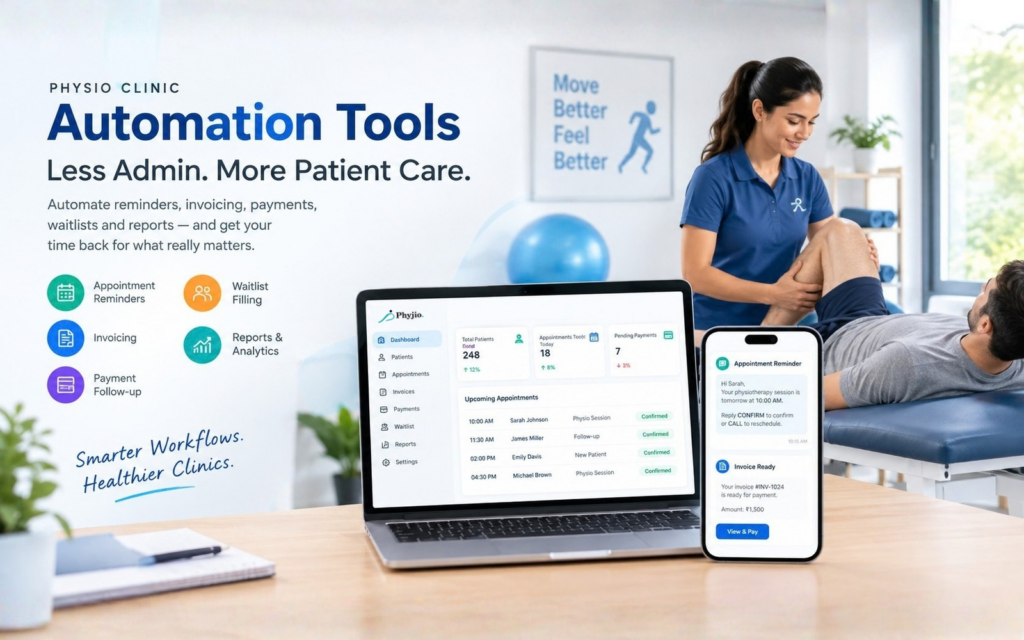
Phyjio is a practice management system built for physiotherapy clinics. According to its homepage, it covers patient records, session notes and progress tracking, invoices and payment status, appointments with reminders by SMS and email, waitlists and multi-branch scheduling, and daily, monthly and yearly reports. The homepage describes a free trial with no credit card required and free onboarding support. Each therapist can have their own login, with the owner seeing a clinic-wide overview. Because this guide is also a Phyjio article, test any claim, ours included, against your own audit during a trial.
For clinics that work across locations or from home, our post on cloud-based physiotherapy software covers what to consider.
Frequently asked questions
How long does it take to digitise a physiotherapy clinic?
It depends on the number of patients, therapists and branches. A realistic plan is a few weeks, covering the audit, setup, data entry, training and a short parallel run. Software vendors may quote shorter times for setup alone.
Do I need to enter all my old patient records?
No. Enter active patients first, then recent ones if you have time. Store the rest safely and add them if the patient returns.
Can I import my existing patient data into the software?
That depends on the product. Phyjio’s FAQ currently says patient data is added manually, with easier import planned for a future update. Always ask any vendor what import options exist today.
What should I do with my paper records afterwards?
Store them securely. Retention rules differ by location and profession, so check what applies to you before destroying anything.
Will my team resist the change?
Some will. Show each role how their day gets easier, train on real tasks, name a first point of contact, and follow up after the first week.
Is it safe to keep patient data in software?
Safety depends on how the software and your clinic handle data. Ask about logins, access control, backups and where data is hosted, and set clear internal rules about who can see what.
Where to go from here
Start with the audit. It takes an afternoon, and it tells you what to look for, what to move and what to measure. Then pick a go-live date, even a tentative one, so the project has a deadline. If you would like to see how a single system handles patients, appointments and billing, you can start a free Phyjio trial or book a demo.