
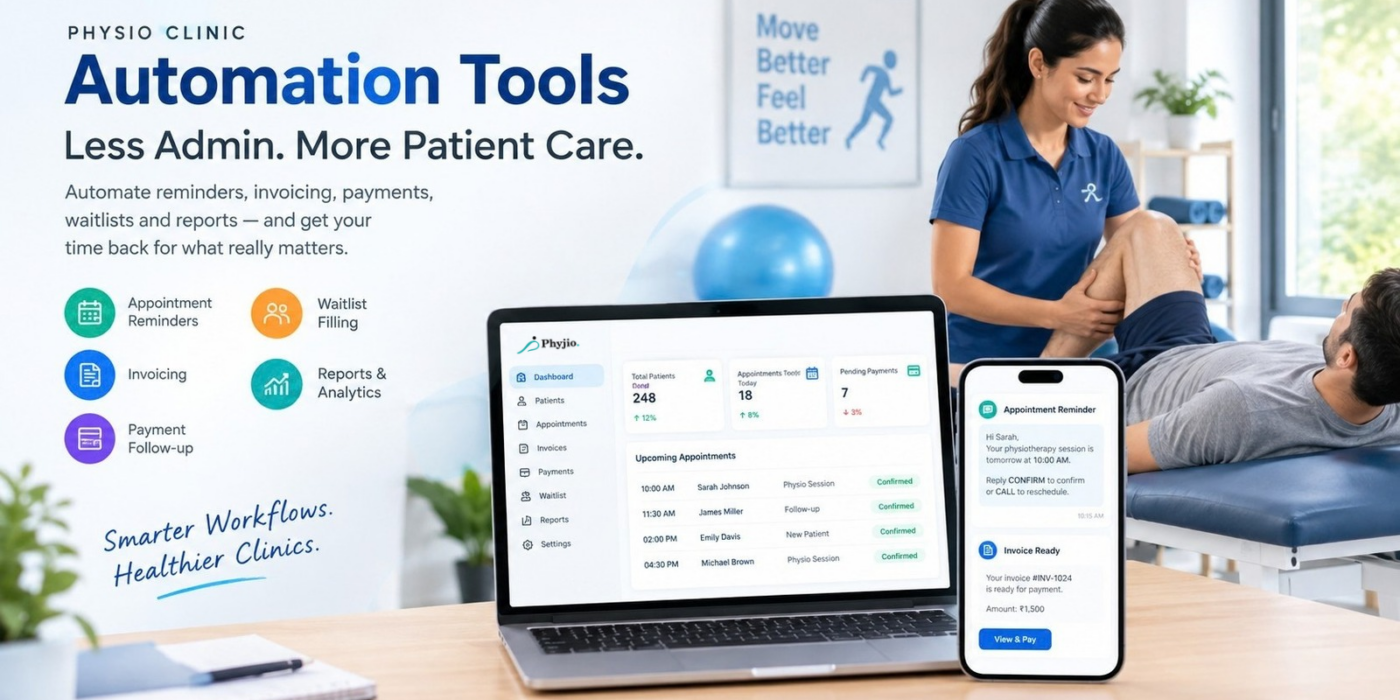
Physio clinic automation tools are software features that handle repeat admin work for you: booking confirmations, appointment reminders, invoicing, payment follow-up, waitlist filling and reporting. Start with the tasks that happen every day and follow a fixed rule. Reminders and invoicing usually pay back first, and clinical decisions should stay with your therapists.
Key takeaways
-
Automate tasks that repeat daily and follow a clear rule. Leave judgment calls to people.
-
Reminders, invoicing, payment tracking, waitlists and reports are the five safest starting points.
-
One connected system beats five separate tools, because every hand-off between tools is a place where data goes missing.
-
Automate one workflow at a time and measure it for four weeks before adding the next.
-
Automation should give therapists time back for patients, not add a new layer of screens to manage.
What does a physio clinic actually need to automate?
A physio clinic needs to automate the admin tasks that repeat on every patient and every day, such as reminders, invoices and reports. These tasks follow rules, so software handles them well. Tasks that need clinical judgment, like choosing a treatment approach or adjusting a plan, should never be automated away.
Most clinic owners don’t have a shortage of software. They have a shortage of hours. A typical day includes confirming tomorrow’s bookings, chasing a patient who didn’t arrive, writing up notes, raising invoices, recording who paid and who didn’t, and answering the same five questions from new callers. None of these tasks is hard. They’re just constant, and they pile up on whoever happens to be nearest the front desk, which is often a therapist between sessions.
That’s the core idea behind physio clinic automation tools of every kind. You write the rule once (“send a reminder the day before every appointment”) and the system applies it to every patient without anyone remembering to do it. The value isn’t cleverness. It’s consistency.
This guide to physio clinic automation tools is vendor-neutral about the approach. It explains which workflows to automate, in what order, how to judge a tool, and where automation goes wrong. Where we mention what Phyjio does, we only describe features listed on the Phyjio website.
Why automation matters more for small physio clinics
Automation matters more in small clinics because every hour of therapist time is a billable hour, and small teams have nobody whose only job is admin. When a therapist spends twenty minutes chasing a payment, that’s twenty minutes of care that didn’t happen.
In a large hospital department, admin is somebody’s full-time role. In a solo practice or a three-therapist clinic, admin is whatever is left after patients. That’s why the same tasks that look trivial on paper end up costing real revenue. Think about a hypothetical clinic with four therapists. If each therapist loses just thirty minutes a day to admin that software could handle, that’s two hours of clinical time gone every working day. Over a month, that adds up to a full working week of capacity. The numbers here are an illustration, not a statistic, but you can replace them with your own and see how quickly the hours stack up.
There’s a second reason: consistency protects patients. A clinic that sends reminders only when someone remembers will have patients who were reminded and patients who weren’t. A clinic that automates reminders treats everyone the same, which is fairer and easier to measure.
Which tasks are good candidates for automation?
The best candidates are tasks that are frequent, rule-based, low-risk and easy to check. If a task happens many times a day, has a clear “if this, then that” shape, and a mistake is cheap to fix, it’s a strong candidate.
Use this four-question test before you automate anything:
-
Does it happen often? A task done once a month rarely justifies setup time.
-
Does it follow a rule? “Remind everyone 24 hours before” is a rule. “Decide how firmly to nudge this particular patient” is judgment.
-
Is a mistake cheap? A reminder sent an hour late is annoying. A wrong clinical note is a patient-safety issue.
-
Can you check the result quickly? If you can glance at a report and see whether it worked, you can trust it.
Tasks that pass all four belong at the top of your list. Tasks that fail question 2 or 3 should stay with people, with software supporting rather than replacing them.
The five workflows your physio clinic automation tools should cover first
For most clinics the first five workflows are appointment reminders, invoicing, payment follow-up, waitlist filling and routine reporting. They score well on the four-question test and touch revenue directly.
1. Appointment reminders
Reminders are the easiest win. A missed appointment is an empty slot that can’t be resold at short notice, and most no-shows are forgetfulness rather than refusal. An automated reminder by SMS or email sent before the appointment removes most of the forgetting without any staff effort.
Phyjio’s website lists automated appointment reminders by SMS and email as part of its scheduling feature. If you’re assessing any tool, check three things: can you control the timing, can patients reply or reschedule easily, and does the reminder go out even when the front desk is busy. For a deeper look at how reminders connect to retention, see our guide on how AI reminders and follow-ups boost clinic patient retention.
2. Invoicing
The second workflow is invoicing. In many clinics the session happens, everybody is busy, and the invoice gets raised later or not at all. Those unbilled sessions are the quietest form of lost revenue, because nothing visibly goes wrong.
Automation here means the invoice is generated from the session or the treatment package, not typed again from memory. Phyjio’s site describes invoice generation per session or per treatment package. The principle matters more than the product: the billing record should be created from the same data as the appointment, so there’s nothing to forget.
3. Payment status and follow-up
Raising an invoice isn’t the same as getting paid. The third workflow is tracking what’s paid, partly paid and overdue, and making follow-up routine rather than awkward. Many owners dislike chasing payments because it feels personal. A system that shows overdue balances clearly, and prompts the follow-up on a schedule, turns an uncomfortable conversation into a normal process.
Phyjio’s site mentions payment status tracking across paid, partial and overdue invoices. If billing is where your clinic leaks most, read our breakdown of physiotherapy clinic payment tracking and the related post on addressing physiotherapy clinic billing problems in India.
4. Waitlist management
The fourth workflow is the waitlist. When someone cancels, the slot is worth filling, but only if somebody notices and contacts the next person quickly. Done by hand, that depends on whoever is at the desk remembering who asked for an earlier slot. A waitlist feature keeps the list in one place so a cancelled slot can be offered to the right person. Phyjio’s site lists waitlist management for popular appointment slots.
5. Routine reporting
The fifth is reporting. Owners who pull numbers together from spreadsheets once a month tend to see problems a month late. When daily, monthly and yearly reports come out of the same system that holds your appointments and payments, you can look at revenue, outstanding balances and session counts whenever you like. Phyjio’s site lists daily, monthly and yearly report generation, including expected versus received revenue.
If reporting is your priority, our post on tracking clinic financial health in five minutes a day shows a daily routine that works well once reports are automatic.
How do you choose a physio clinic automation tool?
Choose a tool by checking that it connects your bookings, records and billing in one place, fits how your clinic already works, and lets you switch features on gradually. A tool that automates one task but forces you to re-enter data elsewhere creates more work than it removes.
Use these criteria when you compare options:
-
One source of truth. The appointment, the session note and the invoice should link to each other. Every time you copy data between tools, you create a chance for error.
-
Built for physio workflows. Generic scheduling tools don’t know about treatment plans, session packages or per-therapist calendars. Check that the vocabulary and structure match how you actually treat patients.
-
Control over timing and wording. You should be able to decide when reminders go out and what they say.
-
Multi-therapist and multi-branch support. If you plan to grow, check now that the tool handles more than one calendar and more than one location.
-
Clear reports. If you can’t see whether the automation is working, you can’t trust it.
-
Easy onboarding. Your team should be able to use it without technical help. Ask what setup involves and how long it takes.
-
Data handling. Ask how patient data is stored and protected. Health data needs care, and you should get a clear answer.
For a fuller checklist, see our guide on how to choose physiotherapy practice management software.
Single system or a stack of separate tools?
A single connected system is usually better for a small clinic, because separate tools each need their own logins, training and manual data transfer. A stack of tools can work if you have someone technical to maintain it, but most clinics don’t.
It’s tempting to assemble your own setup: one app for booking, a spreadsheet for payments, a messaging tool for reminders, another for notes. Each piece may be good on its own. The problem is the joins between them. When a patient reschedules in one place, somebody has to update the others. When a payment arrives, somebody has to record it somewhere else. Automation is supposed to remove those hand-offs, and a patchwork of tools often adds them back.
The trade-off is flexibility. A focused system that does everything you need is easier to run. A patchwork gives you more choice but costs more time. If you have fewer than ten therapists and no IT person, a single system is usually the practical choice. If you want help weighing the decision, our guide to multi-center clinic management software for physiotherapy covers what changes when you run more than one location.
How do you write reminder messages patients actually read?
Write reminders that are short, name the day and time, say who the appointment is with and make it easy to confirm or change. A reminder that takes five seconds to read and one tap to act on works better than a long message full of policy.
Reminders are the most visible piece of automation, so the wording matters. A few rules hold up well in any clinic:
-
Lead with the facts. Patient name, therapist, day, time and location belong in the first line. Nobody should have to scroll to find out when they’re due.
-
Give one clear action. Tell patients how to confirm, and how to change the booking if they can’t come. If the only option is “call us”, many won’t bother.
-
Keep health details out. A text can be seen by anyone holding the phone. Skip the diagnosis and the treatment area. “Your appointment with Anita tomorrow at 10:30” says enough.
-
Mention your cancellation rule once, briefly. If you need notice for changes, say so in a sentence, in plain words.
-
Match your clinic’s voice. A friendly, plain tone feels like your clinic. A stiff legal tone feels like a form letter.
Here’s a hypothetical example of a short reminder you could adapt:
Hi Priya, this is a reminder of your physio session with Anita tomorrow at 10:30 at our Indiranagar clinic. Reply YES to confirm, or call us if you need to change it.
That example is an illustration of structure, not a tested template. Try your own version, watch how patients respond for a few weeks and adjust. Check your software lets you edit the wording, because a fixed message you can’t change will eventually clash with how you work.
What does a week look like before and after automation?
A typical week changes from reactive catch-up to routine review. The clinic still does the same work, but fewer tasks depend on someone remembering, and problems show up sooner.
Here’s a hypothetical comparison for a small clinic. The figures are invented for illustration, so replace them with your own.
|
Task |
Before: manual |
After: automated |
|---|---|---|
|
Confirming tomorrow’s bookings |
Front desk calls or texts each patient by hand |
Reminders go out on a schedule, staff handle replies |
|
Invoicing |
Raised at the end of the day or week from memory |
Generated from the session or package |
|
Payment follow-up |
Owner spots overdue balances when they remember to check |
Overdue list reviewed daily, follow-up is routine |
|
Filling cancelled slots |
Someone tries to recall who wanted an earlier time |
Waitlist shows who to offer the slot to |
|
Monthly numbers |
Pulled from spreadsheets over an evening |
Report opened whenever needed |
The clinic in this example hasn’t hired anyone or changed its treatment approach. It has changed where effort goes: less chasing, more checking. That’s the realistic promise of automation. It won’t transform a clinic overnight, but it removes a steady drip of small losses.
A short glossary of terms you’ll see
Vendors use a lot of jargon, and it helps to know what each term means before you compare tools.
-
Practice management software. A system that handles the business side of a clinic: appointments, records, billing and reports.
-
Workflow automation. A rule that triggers an action without a person, such as “send a reminder 24 hours before an appointment”.
-
Treatment plan template. A reusable structure for a course of care that you can adapt per patient. For ideas on managing these, see our guide to managing physiotherapy treatment plans.
-
Package. A bundle of sessions sold together, such as eight sessions for a fixed price.
-
Overdue invoice. An invoice past its due date with no full payment recorded.
-
No-show. A patient who misses an appointment without notice.
-
Waitlist. A list of patients who want an earlier or different slot if one opens.
-
Multi-branch support. The ability to manage more than one clinic location in the same system.
What should you not automate?
Don’t automate clinical judgment, sensitive conversations or anything where a wrong answer could harm a patient. Software can support those tasks, but a qualified person should decide.
The short list of things to keep human:
-
Treatment decisions. Software can store a plan template. Choosing and adjusting the plan is a clinical call.
-
Bad news and complaints. If a patient is upset, a templated message makes it worse. Pick up the phone.
-
First contact with an anxious patient. Some people need a human voice before they’ll book at all.
-
Clinical notes without review. If any tool drafts notes for you, a therapist must read and approve them before they enter the record.
-
Anything you can’t explain to a patient. If a patient asks why they got a message and you don’t know, the rule is too opaque.
Good physio clinic automation tools work best when they handle the routine and leave more room for the human parts of care.
A four-week rollout plan
Roll out automation one workflow at a time over about four weeks, measuring each before you add the next. Changing everything at once makes it impossible to tell what worked and overwhelms the team.
Week 1: Baseline. Before you switch anything on, write down your current numbers: how many appointments are missed in a typical week, how many sessions were delivered but not invoiced last month, and how much is overdue. If you don’t have exact figures, use your best estimate and label it as an estimate. You need a baseline to know whether automation helped.
Week 2: Reminders. Turn on automated reminders. Watch the number of missed appointments and read a few patient replies. If patients are confused by the wording, change it.
Week 3: Invoicing and payment tracking. Switch to generating invoices from sessions or packages and review the overdue list once a day. Count how many delivered sessions have no invoice at the end of the week. The target is zero.
Week 4: Waitlist and reporting. Start using the waitlist for cancelled slots and review the daily report each evening. Then compare your week-four numbers to week one.
After four weeks you’ll know which automation earned its place and which needs adjusting. Resist the urge to add more until the first ones are stable.
Common automation mistakes
The most common mistakes are automating a broken process, skipping the baseline, overloading patients with messages and trusting the system without checking it. Each of these is avoidable.
Automating a broken process. If your booking rules are unclear, software will apply the unclear rules faster. Fix the process first, then automate it.
Skipping the baseline. Without before-and-after numbers, you’ll rely on impressions. Impressions tend to favour whichever change was most recent.
Sending too many messages. Reminders help. Five messages a day from your clinic annoy patients, and they’ll start ignoring all of them. Keep messages short and purposeful.
Setting it and forgetting it. Rules go out of date. Review your automations every quarter. A reminder that said “call us” when you now prefer online rescheduling is working against you.
Ignoring your team. If therapists and front-desk staff don’t trust the tool, they’ll work around it and you’ll end up with two parallel systems. Involve them early and let them shape the rules.
Expecting software to fix patient behaviour. Reminders reduce forgetting. They don’t solve cost, transport or motivation problems. For those, you need conversation and sometimes a change in how you run treatment plans. Our post on why patients quit physiotherapy early looks at what automation can’t fix.
What do most automation guides miss?
Most guides list features and stop there. They skip three things that matter more: the order in which to automate, the cost of switching, and the human work that has to change alongside the software.
The order matters. Guides tend to present a flat list of twenty features. In practice, reminders and invoicing affect revenue immediately, while advanced reporting matters only once the basics are reliable. Start where the money leaks.
Switching has a cost. Moving to a new system means setting up your clinic, therapists, services and pricing, and getting your team comfortable. Phyjio’s site, for example, says the guided setup takes most clinics about a day, and its FAQ notes that patient data is currently added manually, with an easier import planned. That kind of detail is worth asking every vendor about before you commit, because migration effort is often where projects stall.
The people side changes too. When invoices create themselves, somebody still has to review them. When reminders go out, somebody still has to handle the replies. Automation moves work from typing to checking. That’s a better use of time, but it’s still work, and it needs an owner.
A simple checklist before you buy physio clinic automation tools
Before you commit to any tool, run through this list. If you can’t answer most of these questions, keep asking the vendor until you can.
-
Does it connect appointments, patient records and billing in one place?
-
Can I control reminder timing and wording?
-
Does it support every therapist and every branch I have or plan to have?
-
Can I see paid, partial and overdue invoices at a glance?
-
Is there a waitlist for cancelled slots?
-
Which reports come built in, and can I see revenue by period and therapist?
-
How long does setup take, and who helps me?
-
How is patient data stored and protected?
-
Is there a free trial so my team can test it on real work?
-
What happens to my data if I leave?
Phyjio offers a free trial with no credit card required, according to its website, which is a sensible way to test any system on your own workload before you decide. You can see how the workflows described here fit together in Phyjio’s feature overview and in the setup steps.
Frequently asked questions
What is the best automation tool for a physio clinic?
There isn’t one best tool. The best choice is a system built for physiotherapy that connects bookings, records and billing in one place and suits your clinic’s size. Test a short list on real work during a free trial before you decide.
Can I automate a physio clinic without technical skills?
Yes. Modern practice management software is designed for clinical teams, not IT departments. You set the rules once, such as reminder timing and invoice triggers, and the system applies them. Check that setup is guided and that the vendor provides onboarding help.
How do I automate admin in a physiotherapy practice?
Start with reminders, then invoicing, payment tracking, waitlists and reports. Automate one workflow at a time, measure it for about four weeks, and keep therapists involved in designing the rules. Leave clinical decisions and sensitive conversations to people.
Will automation replace my front desk staff?
It shouldn’t. Automation removes repetitive typing, chasing and copying, so staff can spend time on patient conversations and problem-solving. Someone still needs to review invoices, handle replies and deal with exceptions.
How much time can automation save a small clinic?
It depends on your current process, so measure before you start. Record how long reminders, invoicing and reporting take you each week, then compare after four weeks. Be wary of any vendor that promises a specific saving without knowing your workflow.
Is it safe to automate patient messages?
It can be, if the messages are short, contain only necessary information and go through a system that protects patient data. Ask any vendor how data is stored and who can see it, and avoid putting sensitive clinical details in reminder texts.
Should I automate everything at once?
No. Changing several workflows together makes it impossible to tell what helped and can overwhelm your team. Roll out one workflow at a time, and only add the next once the previous one is stable.
What should I automate first in a physio clinic?
Appointment reminders usually come first because missed appointments waste therapist time and are easy to reduce. Invoicing and payment tracking come next, since they protect revenue that’s already been earned.
Conclusion
Physio clinic automation works when you treat it as a set of small, checkable changes rather than a big software project. Begin with the tasks that repeat every day and follow a rule: reminders, invoices, payment follow-up, waitlists and reports. Measure each for four weeks, keep your therapists involved, and leave clinical judgment where it belongs.
Your next step is simple. Write down how many appointments you lose and how many sessions go unbilled in a typical month. Then pick the one workflow that would fix the biggest gap and trial it. If you want to see how these workflows fit together in one system, you can explore Phyjio’s features or start the free trial and test it on your own clinic’s work.