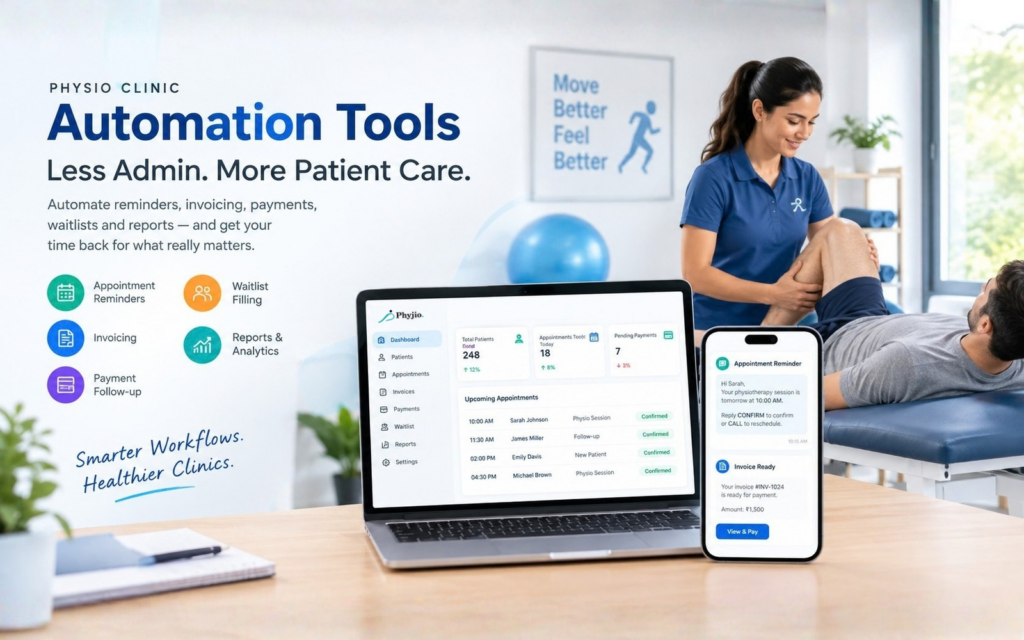

A physio clinic tech stack in 2026 needs six layers: scheduling, patient records and treatment plans, billing, patient communication, reporting, and security. Most clinics do best with one connected system covering the first five, plus a few simple extras like a website and a booking link. Add tools only when a clear problem demands them.
Key takeaways
-
Think in layers, not apps: scheduling, records, billing, communication, reporting and security.
-
One system that connects appointments, notes and invoices beats a pile of separate apps.
-
Every tool you add costs money, training time and another login, so each one must solve a named problem.
-
Buy for the clinic you run now, but check that the tool can handle more therapists or branches later.
-
Review your stack once a year and remove what nobody uses.
What is a physio clinic tech stack?
A physio clinic tech stack is the full set of software and devices your clinic uses to book patients, record treatment, get paid and communicate. It includes your main practice system, your website, your phones and messaging, and any add-ons such as exercise tools or telehealth.
The word “stack” comes from software, but the idea is plain. Everything your clinic relies on to run day to day is part of it, whether you chose it on purpose or it grew over time. Many clinics have a stack they never designed: a paper diary that became a shared calendar, a spreadsheet for payments, a messaging app for reminders, a folder of documents for notes. It works, until the day it doesn’t.
Designing your physio clinic tech stack 2026 style means choosing the layers deliberately, deciding what connects to what, and avoiding the two common traps: too little (paper and spreadsheets that can’t grow) and too much (ten tools, none of which talk to each other).
Why a clinic’s tech stack matters more in 2026
A clinic’s tech stack matters more now because patients expect online booking and reminders, owners need fast visibility into revenue, and a disconnected setup wastes therapist time. Good choices protect both patient experience and margins.
Three pressures explain the current attention on the topic. First, patient expectations have shifted. People are used to booking, paying and getting reminders on their phones for everything else, and a clinic that relies on phone calls alone feels slower than it needs to. Second, the clinic business is tight. Therapist time is the main cost and the main source of revenue, so any software that hands time back has a direct financial effect. Third, the tools have grown more capable and more varied, including AI features for notes and communication. That range makes the decision harder, not easier, because it’s now possible to buy a lot of software you don’t need.
If you’re curious about where AI fits, our guide to AI tools every physiotherapy clinic should know covers that in detail. This post focuses on the broader structure: what layers a clinic needs and in what order.
The six layers of a physio clinic tech stack
The six layers are scheduling, patient records and treatment plans, billing and payments, patient communication, reporting, and security and data protection. Get these right and everything else is optional.
Think of each layer as a job the stack must do. You can meet several jobs with one product or use separate products for each. What matters is that nothing falls through the gaps.
Layer 1: Scheduling
Scheduling is the heartbeat of the clinic. Your system should show each therapist’s calendar, manage availability, prevent double bookings and handle more than one location if you have it. It should also make it easy to rebook, because a patient who leaves without a next appointment is a patient at risk of dropping out.
Look for therapist-level calendar views, availability management and waitlist support. Phyjio’s website describes a therapist-level calendar with availability management, multi-branch scheduling support and waitlist management for popular slots. Whatever you choose, test it with a messy real day, not a clean demo, to see whether it copes with changes.
Layer 2: Patient records and treatment plans
Records are where care is documented: patient history, intake forms, session notes, treatment plans, attachments and progress over time. A good system keeps these in one place so any authorised team member can find what they need without hunting through files.
For a physio clinic, records should include structure for treatment plans, because physiotherapy is delivered in courses of sessions rather than isolated visits. You want to see how many sessions a patient has completed, how many remain and how they’re progressing against goals. Phyjio’s site describes patient profiles with medical history and intake forms, therapist notes per session, customisable treatment plan templates and session-by-session tracking. For a deeper look at this layer, read our guide on managing physiotherapy treatment plans with ease.
Layer 3: Billing and payments
Billing turns care into revenue, and it’s where many clinics leak money without noticing. The layer should generate invoices from sessions or packages, record payments, show what’s paid, partial and overdue, and make it easy to follow up.
The key test is whether the invoice comes from the same data as the appointment. If someone has to retype it, sessions will be missed. Phyjio’s site lists invoice generation per session or per treatment package, payment status tracking and revenue reports by period, therapist or service type. Our article on physiotherapy clinic payment tracking explains how to set up a routine around it.
Layer 4: Patient communication
Communication covers reminders, confirmations, follow-ups and answers to common questions. At minimum you need automated reminders before appointments. Beyond that, think about how new patients reach you, whether by phone, a web form, email or messaging, and how quickly somebody replies.
Keep it simple. Reminders by SMS or email are the most valuable starting point, and Phyjio’s site lists them as part of its scheduling feature. More advanced tools, such as chatbots, can help with enquiries outside working hours, but they add complexity. If you’re considering one, read our guide on AI chatbots for clinics before deciding.
Layer 5: Reporting
Reporting shows you how the clinic is doing: revenue, sessions delivered, outstanding balances and patient activity. If your appointments, records and billing are in one system, reporting comes almost for free. If they’re in separate tools, you’ll be stitching numbers together by hand.
Look for daily, monthly and yearly reports, revenue by therapist and a clear view of expected versus received income. Phyjio’s site lists these. If you want a routine for using them, see our post on tracking clinic financial health in five minutes a day.
Layer 6: Security and data protection
Patient data is sensitive. Your stack must control who can see what, protect stored data and let you answer questions about where information lives. At a practical level, that means separate logins for each therapist, sensible permissions and a vendor willing to explain how it protects data.
Phyjio’s FAQ says each therapist can have their own login, with the owner getting a full clinic overview, and that data is stored securely under standard data protection practices. Rules about health data differ by country, so check the requirements that apply where you practise, and ask every vendor to explain its approach in plain language.
Which tools make up a minimum viable stack?
A minimum viable physio clinic stack is one practice management system covering scheduling, records, billing, reminders and reports, plus a website or booking link and a business phone or messaging line. That’s enough for most solo and small clinics.
Here’s what the minimum looks like in practice:
-
A practice management system. This covers layers one to five in one product.
-
A simple website or booking page. Patients need to find you, see your services and location, and know how to book.
-
A phone line and a messaging channel. Keep one number for the clinic so calls and messages don’t depend on a therapist’s personal phone.
-
Basic device security. Screen locks, updated software and separate logins.
-
A backup plan. If your system is cloud-based, ask how data is backed up. If anything lives on local machines, back it up regularly.
That’s it. You can run a good clinic on this. Everything else is an extra you should justify.
Which add-ons are worth considering?
Add-ons are worth considering when they solve a specific, recurring problem the core system doesn’t. Common examples are exercise prescription, telehealth for hybrid care, marketing tools and accounting software.
Add one at a time and only when you can name the problem it fixes.
Exercise prescription tools. If patients need home programmes, you’ll want a way to give them clear instructions and track whether they follow them. Some practice systems include exercise prescription and compliance logging. Phyjio’s site mentions exercise prescription and compliance logging as part of progress tracking.
Telehealth and hybrid care. If you offer remote sessions, you need reliable video and a way to record those sessions alongside in-person care. Our guide to hybrid rehab and what clinics need to know covers how to think about it.
Accounting software. Your practice system handles invoices and payments, but your accountant may still need a separate tool for tax and bookkeeping. Check what export options your system offers.
Marketing tools. Email newsletters, review requests and local listings can help you attract patients. They’re useful once your core operations run smoothly, not before.
AI assistants. Tools that draft notes or answer enquiries can save time, but they need human review, especially for anything clinical. Treat them as optional and test carefully.
One system or many tools: how do you decide?
For most small clinics, one connected system is the better choice, because separate tools multiply logins, training and manual data transfer. Separate best-of-breed tools make sense only if you have technical support and a specific need the all-in-one can’t meet.
The trade-off is between convenience and flexibility. An all-in-one is easier to learn, cheaper to manage and gives you one place to look. A patchwork gives you the freedom to pick the best tool for each job but puts the burden of connecting them on you.
Ask yourself three questions:
-
Who maintains it? If nobody on your team enjoys technology, choose fewer tools.
-
What happens when a patient reschedules? Count how many places you’d need to update. The fewer, the better.
-
Can I see the whole picture? If revenue, sessions and outstanding balances live in different places, reporting will always be slow.
For a structured way to compare options, see our guide on how to choose physiotherapy practice management software.
Cloud or installed software?
For most clinics, cloud-based software is the practical choice in 2026, because it works from any device with a browser, needs no server to maintain and lets you check the clinic remotely. Installed software can suit specific needs but adds maintenance work.
Cloud software means the system runs on the vendor’s servers and you access it over the internet. The benefits are accessibility, automatic updates and less IT work on your side. The trade-offs are that you depend on an internet connection and on the vendor’s reliability. Before you commit, ask about uptime, backups and what happens to your data if you leave.
If you want a fuller discussion, our guide on cloud physiotherapy software and working from anywhere goes through the advantages and questions to ask.
What does a stack cost, and how do you budget for it?
Budget for your stack by adding up subscriptions, setup time, training time and the cost of switching, then comparing the total with the admin hours you expect to save. Prices vary by vendor and change often, so check current pricing on each vendor’s own site.
We don’t quote prices here because they change and depend on clinic size. Instead, use a simple method:
-
List every tool you pay for today, including small ones. Many clinics are surprised by how many subscriptions they have.
-
Estimate the admin time each tool costs. Include the time spent re-entering data between tools.
-
Ask for current pricing from any system you’re considering and multiply by your number of therapists if pricing is per user.
-
Include setup and training. A cheap tool your team can’t use properly costs more than a good one they adopt.
-
Compare totals. If one system replaces three tools, the combined subscription may be lower, and you’ll have fewer logins.
A free trial helps. Phyjio’s website says a free trial is available with no credit card required, which lets you test it on real work before paying anything. Whichever product you’re evaluating, use the trial with actual appointments, not sample data.
A step-by-step way to audit your current stack
Audit your stack by listing every tool, the job it does, who uses it and how often, then removing overlaps and filling gaps. You can do this in an afternoon.
Step 1: List everything. Write down every app, spreadsheet, device and service used in the clinic, including personal tools therapists use informally.
Step 2: Map each tool to a layer. Mark whether it handles scheduling, records, billing, communication, reporting or security. You’ll likely find some layers covered twice and others not at all.
Step 3: Note the hand-offs. For each pair of tools, ask what data has to be copied between them and who does it. Every manual hand-off is a risk.
Step 4: Check usage. Ask the team which tools they actually open each week. Anything unused is a candidate for removal.
Step 5: Identify the biggest gap. Look for the layer causing the most pain, whether that’s missed invoices, scheduling conflicts or slow reporting.
Step 6: Decide on changes. Remove duplicates, fix the biggest gap first and plan changes one at a time.
Step 7: Set a review date. Put a yearly review in the calendar so the stack doesn’t drift again.
What should your stack look like at each clinic size?
Your stack should grow with the clinic: a solo practitioner needs the basics in one tool, a small team needs shared visibility and permissions, and a multi-branch group needs central reporting across locations. The layers stay the same, but the demands on each one change.
Solo practitioner. You are therapist, receptionist and accountant in one. Your priority is saving time between sessions. One system that books appointments, stores notes, raises invoices and sends reminders is usually enough. Keep the extras to a minimum, because every extra tool is another thing you have to maintain yourself.
Small team of two to five therapists. Now the stack has to coordinate people. Each therapist needs their own login and calendar, and the owner needs an overview. Permissions start to matter: who can see which patient, who can edit invoices. Reporting by therapist becomes useful for scheduling and planning.
Growing clinic or multi-branch group. Here you need central visibility across locations, consistent services and pricing, and reports that compare branches. Scheduling has to handle therapists who work at more than one site. Check early that your system supports multi-branch use, because switching later is harder than choosing well now. Phyjio’s website states that it serves clinics from solo practitioners to multi-branch practices.
A hypothetical example: rebuilding a three-therapist stack
Imagine a three-therapist clinic that runs on a shared calendar app, a spreadsheet for payments, a messaging app for reminders and a folder of documents for notes. This example is invented for illustration. The numbers and details are not from a real clinic.
The owner lists the tools and finds four separate places where a patient’s name is typed. When a patient reschedules, the front desk updates the calendar, then a note in the spreadsheet, then sends a new reminder by hand. When a package of sessions is sold, the payment goes in one place, the session count in another, and nobody is sure how many sessions remain.
Mapping the tools to layers shows scheduling covered by the calendar, billing half-covered by the spreadsheet, communication done manually, records scattered, and reporting close to non-existent. The biggest gap is the link between sessions and invoices, so the owner starts there: a single system where the session, the package balance and the invoice sit together. Reminders come next, then reports.
After the change, the clinic has fewer tools, not more. Nobody retypes a patient name, the package count updates when a session is completed, and the owner can open a report instead of building one. The point of the example is the method: list, map, find the biggest gap, fix it first.
Your physio clinic tech stack 2026 checklist
Use this checklist to test any stack, whether you’re building one or reviewing what you have. If you can tick most boxes, your setup is in good shape.
Scheduling
-
Each therapist has a calendar with availability.
-
Double bookings are prevented.
-
Cancelled slots can be offered to a waitlist.
Records and treatment plans
-
Patient history, notes and attachments sit in one place.
-
Treatment plans show sessions completed and remaining.
-
Progress can be reviewed over time.
Billing
-
Invoices are created from sessions or packages.
-
Paid, partial and overdue invoices are visible at a glance.
-
Payments are recorded in the same system.
Communication
-
Reminders go out automatically before appointments.
-
Patients have one clear way to contact the clinic.
Reporting
-
Daily, monthly and yearly reports are available.
-
Revenue can be seen by therapist and by period.
Security
-
Every team member has their own login.
-
You know how patient data is stored and backed up.
-
You can export your data if you leave.
Keep this checklist with your yearly review. A physio clinic tech stack 2026 version of it will look different from your setup five years ago, and it will change again.
A short glossary for choosing software
Vendor pages use many terms. These are the ones that come up most.
-
Cloud-based. Software that runs on the vendor’s servers and is used through a browser or app.
-
Practice management system. The core software for bookings, records, billing and reports.
-
Multi-branch. Support for more than one clinic location in a single account.
-
Role-based access. Permissions set by job, such as owner, therapist or front desk.
-
Package. A bundle of sessions sold as one product.
-
Compliance logging. Recording whether a patient has completed their prescribed exercises.
-
Data export. The ability to download your records if you change system.
-
Onboarding. The vendor’s help getting your clinic set up.
What do most “tech stack” guides miss?
Most guides list product categories and stop, without covering the people side, the migration effort or the question of when not to buy. A stack only works if your team uses it, and that depends on rollout more than features.
Adoption beats features. A simple system used by everyone is worth more than a powerful one used by half the team. Involve therapists and front-desk staff in the choice, and run a trial with real work.
Migration is real work. Moving patient data, setting up services and retraining people takes effort. Phyjio’s website notes that most clinics can get started within a day, and its FAQ states that patient data is currently added manually, with easier import planned. Ask every vendor about migration up front, and plan for it.
Sometimes the answer is to wait. If your current setup works and nobody’s struggling, you may not need to change anything. A new tool should fix a problem you can describe, not a fear of falling behind.
Growth changes the answer. A solo practitioner and a five-branch group need different things. If you plan to grow, check multi-therapist and multi-branch support now. Our guide to multi-center clinic management software for physiotherapy covers what changes at that point.
Common mistakes when building a clinic tech stack
The most common mistakes are buying for features you won’t use, ignoring the hand-offs between tools, skipping the trial and forgetting to plan for training. Each can be avoided with a little preparation.
-
Buying the longest feature list. More features mean more to learn. Pick the tool that does your core jobs well.
-
Ignoring data ownership. Ask how you can export your data if you leave.
-
Skipping the trial. Demos are clean. Real days are messy.
-
Underestimating training. Block time for your team to learn the system properly.
-
Forgetting security basics. Shared passwords and unlocked screens undo good software.
-
Letting it sprawl. Without a yearly review, tools pile up.
Frequently asked questions
What software does a physio clinic need?
At minimum, a practice management system covering scheduling, patient records, treatment plans, billing, reminders and reports. Add a website or booking page and a clinic phone line. Extras like exercise tools or telehealth only matter if they solve a specific problem.
What is the best tech stack for a small physio clinic?
For most small clinics, one connected practice management system plus a simple website and a dedicated phone line. Fewer tools mean fewer logins, less training and fewer manual hand-offs between systems.
Should I use one system or several separate tools?
Use one connected system unless you have technical support and a need it can’t meet. Separate tools create manual data transfer between them, which wastes time and causes errors, especially in small teams.
Is cloud software better for physio clinics?
Usually yes. Cloud software works from any device with a browser, needs no server and updates automatically. The trade-offs are needing a reliable internet connection and trusting the vendor with data, so ask about backups and exports.
How often should I review my clinic’s tech stack?
Once a year is a good rhythm. List every tool, check what the team actually uses, remove duplicates and fix the biggest gap. Review sooner if you add therapists or open another location.
Do I need AI tools in my clinic tech stack?
No. AI tools can help with notes or enquiries, but they’re optional and need human review for anything clinical. Get the core layers working first, then test AI tools for a specific problem.
How much should a physio clinic spend on software?
It varies by clinic size and vendor, and prices change, so check current pricing directly. Compare the total subscription cost, setup and training against the admin hours you expect to save.
What should I look for in patient data security?
Separate logins for each team member, sensible permissions, secure storage and a vendor that explains how it protects data. Rules differ by country, so check the requirements that apply where you practise.
Conclusion
A good physio clinic tech stack 2026 plan is smaller than most people expect. Cover the six layers of scheduling, records, billing, communication, reporting and security, ideally with one connected system. Add a website, a clinic phone line and sensible security habits. Then add extras only when they fix a problem you can name.
Your next step is a simple audit. List every tool your clinic uses, map each to a layer and note where data gets copied by hand. The biggest gap is where to start. If you’d like to see how one system can cover the core layers, explore Phyjio’s features and setup steps, or start the free trial and test it on your own clinic’s work.