Cloud-Based Clinic Software for Physiotherapists
Introduction
The healthcare landscape is rapidly evolving, and physiotherapy practices are no exception. Modern physiotherapists face increasing demands to provide flexible, accessible care while managing complex administrative workflows. Whether conducting home visits, managing multiple clinic locations, or offering telehealth consultations, today’s practitioners need technology that moves with them.
Traditional on-premise software systems tie therapists to physical locations, creating bottlenecks that limit productivity and patient access. Cloud-based clinic software eliminates these barriers, transforming how physiotherapists deliver care and manage their practices.
This comprehensive guide explores how cloud-based physiotherapy software empowers practitioners to work from anywhere while maintaining security, compliance, and exceptional patient care standards.
TL;DR: Key Takeaways
Cloud-based clinic software enables physiotherapists to securely access patient records, manage appointments, conduct telehealth sessions, create treatment plans, and run their clinics from anywhere with an internet connection.
Essential benefits include:
-
Remote access to complete electronic medical records from any device
-
Telehealth capabilities for virtual consultations and patient engagement
-
Real-time scheduling with automated appointment reminders
-
Secure data storage with HIPAA-compliant cloud infrastructure
-
Team collaboration across multiple locations with shared patient information
-
Billing automation for insurance claims and payment processing
-
Mobile accessibility through dedicated apps for smartphones and tablets
-
Workflow efficiency reducing administrative burden by up to 40%
What Is Cloud-Based Clinic Software?
Cloud-based clinic software is a web-accessible practice management system that stores patient data, scheduling, billing, and clinical documentation on remote servers, allowing physiotherapists to access their entire clinic operations from any internet-connected device.
Unlike traditional on-premise systems that require local installation and physical server infrastructure, cloud-based physiotherapy software operates entirely online. Healthcare providers access the platform through web browsers or mobile applications, with all data securely stored in professionally managed data centers.
Core Components
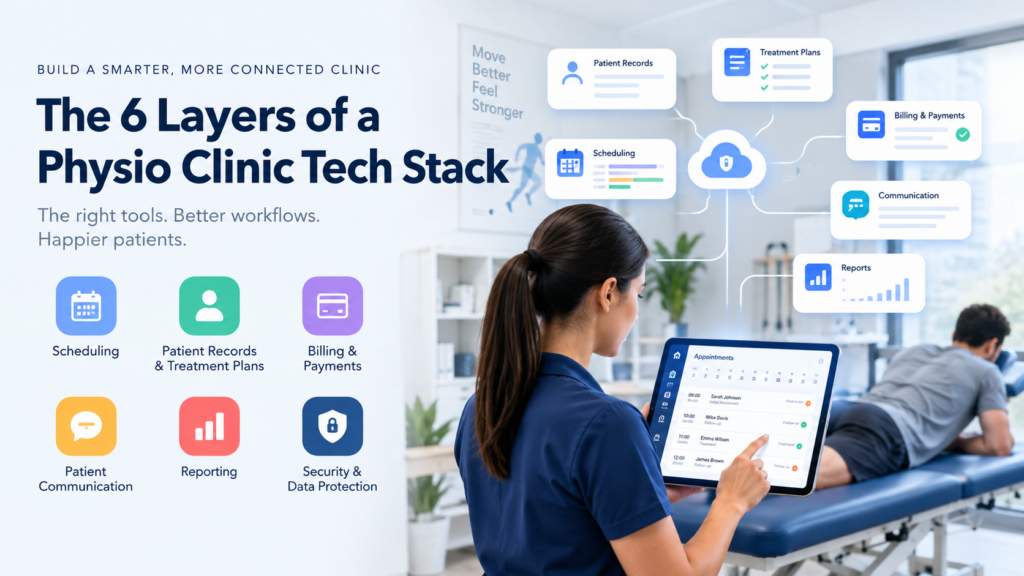
Cloud physiotherapy software typically includes:
-
Electronic Medical Records (EMR) for patient documentation
-
Appointment scheduling with calendar management
-
Billing and insurance processing systems
-
Patient communication tools including messaging and reminders
-
Treatment planning and exercise prescription modules
-
Analytics dashboards for practice performance tracking
-
Telehealth integration for virtual consultations
How It Differs From Traditional Systems
Traditional on-premise software requires:
-
Physical server installation at clinic locations
-
Manual software updates and maintenance
-
IT staff or external support for technical issues
-
Access limited to specific computers or local networks
Cloud-based systems eliminate these requirements through centralized, professionally managed infrastructure that updates automatically and remains accessible from anywhere.
Why It’s Essential for Modern Physiotherapy Clinics
The shift toward value-based care, patient-centered treatment models, and flexible work arrangements makes cloud accessibility no longer optional. Physiotherapists must respond to patient needs outside traditional clinic hours, collaborate with multidisciplinary teams, and maintain comprehensive documentation regardless of location.
Why Physiotherapists Need to Work From Anywhere
Modern physiotherapy practice extends far beyond traditional clinic walls. Several real-world scenarios demonstrate why location flexibility has become essential:
Multiple Clinic Locations
Physiotherapists managing two or more clinic sites need seamless access to patient records regardless of which location they’re working from. Cloud-based physiotherapy clinic software synchronizes information across all sites in real-time, eliminating duplicate data entry and ensuring continuity of care.
Real-world example: A physiotherapy practice with three locations across a metropolitan area uses cloud software to allow therapists to float between clinics based on demand, accessing complete patient histories instantly without transferring physical files.
Home Visit Services
Home-based rehabilitation services are growing rapidly, particularly for elderly patients, post-surgical care, and neurological rehabilitation. Physiotherapists conducting home visits need mobile access to:
-
Patient treatment plans
-
Progress documentation
-
Exercise protocols
-
Billing information
Telehealth Consultations
The telehealth revolution accelerated dramatically, with virtual physiotherapy consultations increasing by over 300% in recent years. Cloud physiotherapy software integrates video consultation capabilities directly into patient records, enabling:
-
Initial assessments
-
Follow-up appointments
-
Exercise technique verification
-
Post-treatment check-ins
-
Remote patient monitoring
Traveling Practitioners
Many physiotherapists work across multiple facilities—hospitals, sports clubs, corporate wellness programs, or educational institutions. Cloud-based physiotherapy practice management software allows these practitioners to maintain comprehensive documentation regardless of physical location.
Emergency Situations and Business Continuity
Natural disasters, public health emergencies, or facility issues can disrupt traditional clinic operations. Cloud infrastructure ensures practitioners maintain access to critical patient information and can continue delivering care through alternative channels.
Flexible Work Schedules
Work-life balance and flexible scheduling are increasingly important for healthcare professionals. Cloud accessibility enables therapists to:
-
Review patient charts before appointments from home
-
Complete documentation during non-clinic hours
-
Respond to patient messages outside traditional office times
-
Manage administrative tasks remotely
How Cloud-Based Clinic Software Helps Physiotherapists Work Remotely
Access Patient Records Anywhere
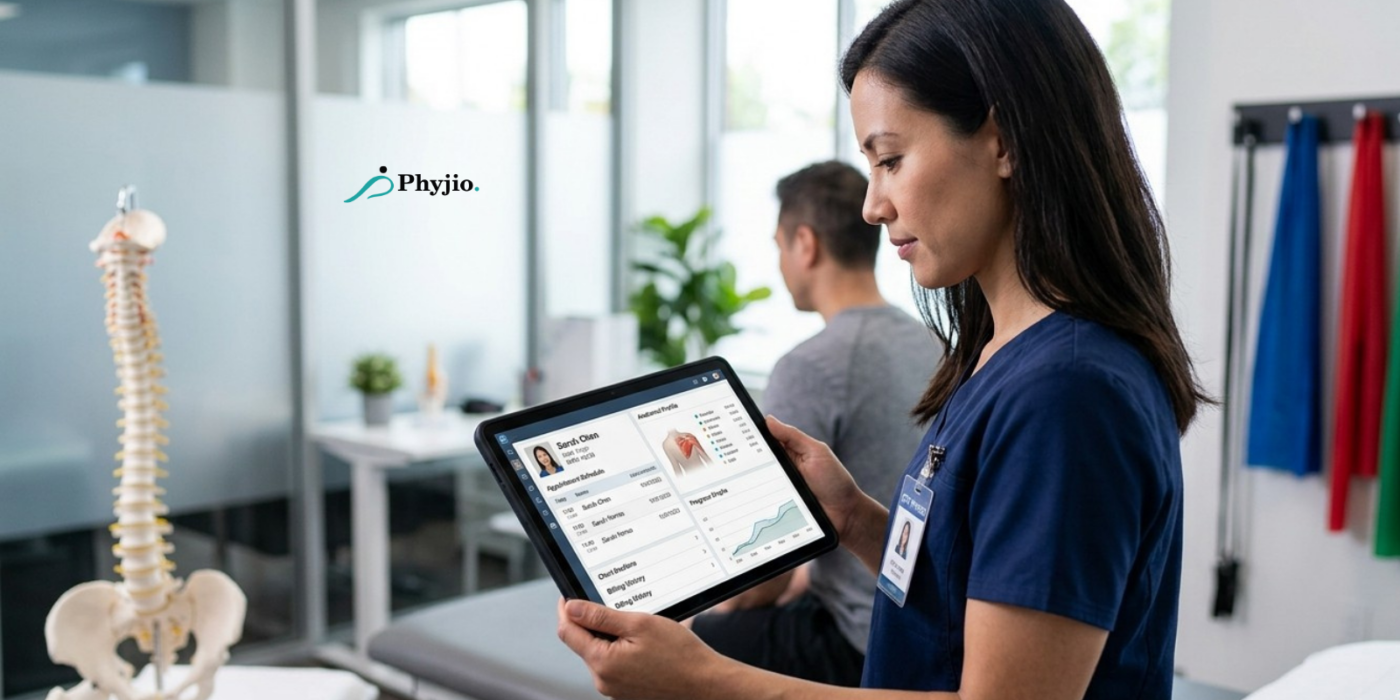
Cloud-based physiotherapy EMR software provides complete access to patient information from any location with internet connectivity.
Electronic Medical Records (EMR) access includes:
-
Complete patient demographics and contact information
-
Medical history and previous diagnoses
-
Current medications and allergies
-
Treatment history across all visits
-
Diagnostic imaging and test results
-
Referral documentation
-
Insurance and billing information
SOAP notes documentation:
Physiotherapists can create, review, and update SOAP (Subjective, Objective, Assessment, Plan) notes from any device. This ensures:
-
Real-time documentation during patient encounters
-
Immediate access for consulting providers
-
Compliance with documentation requirements
-
Reduced administrative burden after clinic hours
Progress tracking:
Cloud systems automatically organize treatment progression data, allowing therapists to:
-
Review outcome measure trends
-
Compare baseline and current functional status
-
Identify patients requiring plan adjustments
-
Generate progress reports for referring physicians
Manage Appointments from Any Device
Cloud-based physiotherapy scheduling software transforms appointment management into a flexible, accessible process.
Scheduling capabilities:
-
View real-time calendar availability across all providers
-
Book appointments from smartphones, tablets, or computers
-
Block time for home visits or telehealth sessions
-
Manage recurring appointment patterns
-
Handle waitlists and cancellations efficiently
Rescheduling flexibility:
When schedule changes occur, therapists can:
-
Modify appointments instantly from any location
-
Communicate changes directly to patients via automated notifications
-
Optimize schedule gaps by filling cancelled slots
-
Coordinate multi-provider treatment sessions
Automated appointment reminders:
Cloud physiotherapy appointment software sends automated reminders via:
-
SMS text messages
-
Email notifications
-
Push notifications through patient portals
-
Customizable timing (24 hours, 48 hours, one week)
This automation reduces no-show rates by up to 40% while eliminating manual reminder calls.
Conduct Telehealth Sessions
Integrated telehealth physiotherapy software enables practitioners to deliver care virtually without switching between multiple platforms.
Video consultation features:
-
HIPAA-compliant video conferencing
-
Screen sharing for exercise demonstrations
-
Virtual background options for privacy
-
Recording capabilities for documentation purposes
-
Multi-participant sessions for family involvement
Secure patient communication:
Cloud platforms provide encrypted messaging for:
-
Pre-appointment questionnaires
-
Post-treatment instructions
-
Exercise video sharing
-
Progress photo documentation
-
Quick questions between appointments
Benefits for remote patient management:
-
Expanded service radius beyond local geography
-
Improved access for mobility-limited patients
-
Reduced travel time for both patients and providers
-
Continuity of care during travel or relocation
-
Lower overhead costs compared to additional physical locations
Create and Update Treatment Plans
Cloud-based physiotherapy management systems enable dynamic treatment planning from any location.
Exercise prescription capabilities:
Modern platforms include:
-
Extensive exercise libraries with video demonstrations
-
Customizable home exercise programs (HEPs)
-
Patient-facing mobile apps for exercise guidance
-
Progress tracking through patient-reported outcomes
-
Modification history to track plan evolution
Rehabilitation tracking:
Therapists can monitor:
-
Exercise compliance through patient app data
-
Pain levels and functional improvements
-
Range of motion measurements
-
Strength assessments
-
Return-to-activity milestones
Treatment plan collaboration:
Cloud accessibility enables:
-
Sharing plans with referring physicians
-
Coordinating care with occupational therapists, physicians, or trainers
-
Consulting with specialists on complex cases
-
Patient access to treatment plans through secure portals
Collaborate with Team Members
Multi-user access transforms physiotherapy practice management into a collaborative process.
Shared patient records:
All authorized team members can access:
-
Current patient status and treatment plans
-
Recent visit documentation
-
Pending administrative tasks
-
Communication history
-
Treatment outcome data
Role-based access controls:
Cloud physiotherapy software implements security through:
-
Customizable permission levels (admin, clinician, front desk, billing)
-
Audit trails showing who accessed which records
-
Restricted access to sensitive information
-
Temporary access for per diem or consulting staff
Internal communication tools:
Integrated messaging allows:
-
Task assignment and tracking
-
Treatment handoff notes for rotating therapists
-
Administrative announcements
-
Schedule coordination
-
Clinical question resolution
Manage Billing and Payments
Cloud-based physiotherapy billing software streamlines revenue cycle management from anywhere.
Invoice generation:
-
Automatic charge capture from documentation
-
Customizable fee schedules for different payer types
-
Package and membership billing options
-
Multi-currency support for international practices
Insurance claims processing:
Cloud systems facilitate:
-
Electronic claims submission to insurance payers
-
Real-time eligibility verification
-
Automated claim status tracking
-
Denial management workflows
-
Secondary insurance billing
Payment tracking:
Financial management features include:
-
Patient payment processing (credit cards, ACH transfers)
-
Payment plan management
-
Outstanding balance reports
-
Revenue analytics by provider, service type, or location
-
Integration with accounting software
Remote access to billing functions allows practice managers to:
-
Monitor revenue from anywhere
-
Respond to claim denials promptly
-
Process end-of-day reconciliation remotely
-
Generate financial reports for stakeholders
Key Benefits of Cloud-Based Physiotherapy Software
|
Benefit |
How It Helps Physiotherapists |
Patient Impact |
|---|---|---|
|
Remote access |
Access complete clinic operations from home, between locations, or while traveling; eliminate commute time for administrative tasks |
Faster response times to patient inquiries; improved appointment availability through flexible scheduling |
|
Telehealth integration |
Deliver virtual care without additional platforms; document telehealth visits alongside in-person sessions |
Convenient access to care from home; reduced travel burden; increased appointment adherence |
|
Workflow automation |
Automated appointment reminders, billing processes, and documentation templates save 5-10 hours weekly |
Fewer missed appointments; faster insurance processing; more therapist time for direct patient care |
|
Secure data storage |
Elimination of physical file storage; automatic backups; disaster recovery; professional security management |
Enhanced privacy protection; reduced risk of medical record loss; confidence in data security |
|
Real-time collaboration |
Instant information sharing across team members; coordinated care for complex cases |
Seamless care transitions; reduced information gaps; improved treatment outcomes |
|
Reduced admin work |
Template-based documentation; automatic charge capture; electronic prescriptions; digital forms |
Shorter wait times; less redundant paperwork; streamlined check-in/check-out processes |
|
Improved patient experience |
More time for patient interaction; better preparation before appointments; responsive communication |
Personalized attention; clear communication; convenient self-service options through patient portals |
|
Better productivity |
Optimized scheduling; reduced documentation time; mobile accessibility; integrated workflows |
Shorter wait times for appointments; expanded clinic capacity serves more patients |
Cloud-Based vs On-Premise Physiotherapy Software
|
Feature |
Cloud-Based Software |
On-Premise Software |
|---|---|---|
|
Accessibility |
Access from any internet-connected device; work from anywhere |
Limited to computers with installed software; typically restricted to clinic network |
|
Initial Cost |
Low upfront investment; subscription-based pricing |
High initial purchase price; significant hardware costs |
|
Setup Time |
Immediate access; minimal configuration required; operational within days |
Weeks or months for server setup, installation, and configuration |
|
Maintenance |
Automatic updates; vendor manages infrastructure; zero downtime for upgrades |
Manual updates; requires IT staff or consultants; potential downtime during maintenance |
|
Security |
Enterprise-grade security; professional monitoring; redundant systems; compliance certifications |
Security depends on local implementation; requires dedicated IT security expertise |
|
Scalability |
Instant scaling; add users or locations immediately; pay only for what you use |
Limited by server capacity; requires hardware investment to expand |
|
Software Updates |
Automatic feature additions; always current version; no user action required |
Manual updates; often requires purchase of new versions; potential compatibility issues |
|
Data Backups |
Automatic daily backups; multiple geographic locations; instant recovery |
Manual backup processes; vulnerable to local disasters; recovery depends on backup quality |
|
Flexibility |
Work from multiple devices; seamless transition between locations; mobile apps available |
Fixed workstation access; difficult to work outside clinic; limited mobile options |
|
Collaboration |
Real-time multi-user access; instant synchronization; integrated communication |
Delayed synchronization; potential version conflicts; separate communication tools needed |
|
Total Cost of Ownership (5 years) |
Predictable subscription costs; no hardware replacement; included support |
Software licensing + hardware + IT support + upgrades + maintenance = typically 40-60% higher |
Recommendation: Cloud-based physiotherapy practice management software offers superior flexibility, lower total costs, and better accessibility for modern practices. On-premise solutions only make sense for exceptionally large healthcare organizations with dedicated IT departments and specific regulatory constraints.
How AI Is Transforming Cloud-Based Physiotherapy Software
Artificial intelligence integration represents the next evolution in physiotherapy management systems, enhancing efficiency and clinical decision-making.
Automated SOAP Notes Documentation
AI-powered voice recognition and natural language processing enable:
-
Voice-to-text documentation during patient encounters
-
Automatic structuring of narrative notes into SOAP format
-
Smart templates that adapt based on patient condition and treatment type
-
Clinical terminology recognition converting conversational language into proper medical terms
-
Documentation completion suggestions based on previous session patterns
These capabilities reduce documentation time by 50-70%, allowing therapists to focus on patient interaction rather than computer screens.
Predictive Scheduling Optimization
Machine learning algorithms analyze historical patterns to:
-
Predict optimal appointment lengths based on patient condition and treatment phase
-
Identify high no-show risk appointments for targeted reminder interventions
-
Recommend ideal scheduling patterns maximizing therapist productivity
-
Forecast demand fluctuations for staffing optimization
-
Suggest appointment timing based on patient preference patterns
Smart Appointment Reminders
AI enhances traditional appointment reminders through:
-
Personalized reminder timing based on individual patient response patterns
-
Channel optimization (SMS vs. email vs. phone) based on patient engagement history
-
Predictive rescheduling suggestions when conflicts are likely
-
Automated waitlist management filling cancellations instantly
-
Language customization matching patient communication preferences
AI-Assisted Treatment Recommendations
Advanced systems provide clinical decision support:
-
Evidence-based exercise suggestions based on patient diagnosis and presentation
-
Outcome prediction models estimating expected recovery trajectories
-
Treatment plan optimization recommendations based on similar patient outcomes
-
Protocol adherence monitoring flagging deviations from evidence-based guidelines
-
Contraindication warnings based on patient medical history
Patient Risk Detection
AI algorithms identify patients requiring additional attention:
-
Fall risk assessment from functional test data
-
Re-injury risk prediction based on compliance and progression patterns
-
Discharge readiness scoring to optimize treatment duration
-
Chronic pain pattern recognition identifying patients needing multidisciplinary intervention
-
Adherence risk identification predicting non-compliance before it occurs
Advanced Analytics Dashboards
AI-powered analytics transform raw data into actionable insights:
-
Revenue optimization identifying highest-value service lines and payer relationships
-
Operational efficiency metrics with improvement recommendations
-
Clinical outcome benchmarking against similar practices
-
Patient satisfaction prediction from engagement and outcome data
-
Capacity planning forecasting future demand and resource needs
Automated Workflow Orchestration
Intelligent automation manages routine processes:
-
Insurance verification automatically performed before appointments
-
Pre-appointment preparation gathering necessary forms and information
-
Post-visit follow-up scheduling and communication
-
Billing optimization ensuring maximum reimbursement through proper coding
-
Compliance monitoring tracking documentation requirements and deadlines
Future AI Possibilities
Emerging capabilities on the horizon include:
-
Computer vision analysis of movement patterns during telehealth sessions
-
Wearable device integration with AI interpretation of home exercise performance
-
Predictive maintenance for clinic equipment and resources
-
Automated research participation matching patients to relevant clinical trials
-
Real-time translation for multilingual patient populations
Common Problems Cloud Software Solves for Physiotherapists
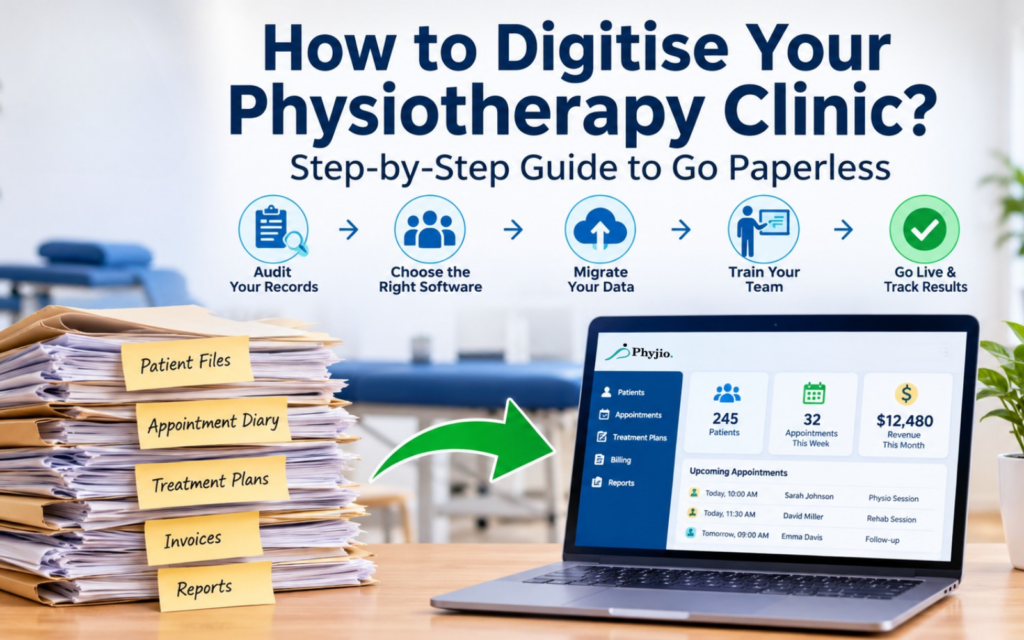
Paper-Based Records Chaos
Problem: Physical charts create filing burdens, consume office space, risk loss or damage, and limit accessibility.
Cloud solution: Complete digitization with searchable records, automatic organization, unlimited storage capacity, and instant retrieval from any location. Scan existing records during migration or phase out paper gradually.
Double Booking and Scheduling Conflicts
Problem: Manual scheduling systems cause appointment overlaps, resource conflicts, and patient frustration.
Cloud solution: Real-time calendar synchronization prevents double-booking across multiple users. Color-coded calendars, resource management, and conflict warnings ensure optimal scheduling.
Missed Appointments and No-Shows
Problem: Forgotten appointments waste therapist time and reduce revenue by 15-30% in typical practices.
Cloud solution: Automated multi-channel reminders (SMS, email, push notifications) sent at customizable intervals. Confirmation requests and easy rescheduling options reduce no-shows by 40-60%.
Limited Access to Patient Data
Problem: Therapists lack information when working from different locations, conducting home visits, or providing emergency consultations.
Cloud solution: Complete patient records accessible from smartphones, tablets, or any web browser. Real-time synchronization ensures the most current information is always available.
Communication Gaps
Problem: Information silos between front desk staff, therapists, billing personnel, and patients create inefficiencies and errors.
Cloud solution: Integrated messaging, shared task lists, and centralized patient communication history. Patient portals enable direct communication and self-service capabilities.
Administrative Overload
Problem: Manual processes for documentation, billing, scheduling, and reporting consume 40-50% of available time.
Cloud solution: Workflow automation for appointment reminders, insurance verification, claim submission, documentation templates, and reporting. Reduces administrative burden by 30-40%.
Real example: A three-therapist practice eliminated one full-time administrative position after implementing cloud physiotherapy software, redirecting those resources toward patient care and practice growth.
Multi-Location Management Complexity
Problem: Practices with multiple locations struggle with data fragmentation, inconsistent processes, and coordination challenges.
Cloud solution: Unified platform accessible across all locations with:
-
Centralized patient records
-
Cross-location scheduling
-
Consolidated reporting
-
Standardized workflows
-
Resource sharing capabilities
Revenue Leakage
Problem: Missed charges, incorrect coding, delayed billing, and poor insurance follow-up reduce practice revenue by 10-20%.
Cloud solution: Automatic charge capture from documentation, coding assistance, electronic claim submission, denial tracking, and revenue analytics identify and eliminate leakage points.
Is Cloud-Based Physiotherapy Software Secure?
Security concerns often represent the primary hesitation for practices considering cloud migration. However, professionally managed cloud infrastructure typically provides superior security compared to on-premise systems.
HIPAA Compliance
Reputable cloud physiotherapy software vendors maintain strict HIPAA compliance through:
-
Business Associate Agreements (BAAs) contractually obligating vendors to protect patient information
-
Regular compliance audits by third-party security firms
-
HIPAA-specific features including access controls, audit logs, and breach notification procedures
-
Security Risk Assessments identifying and addressing vulnerabilities
-
Ongoing staff training on privacy and security requirements
Cloud vendors employ dedicated compliance teams that most individual practices cannot afford, ensuring more robust and current compliance postures.
Data Encryption
Cloud systems protect information through multiple encryption layers:
-
Encryption in transit: All data transmitted between users and servers uses TLS 1.2 or higher encryption (the same technology securing online banking)
-
Encryption at rest: Patient data stored on servers uses AES-256 encryption, considered unbreakable with current technology
-
End-to-end encryption: Some systems encrypt data before transmission, ensuring even the vendor cannot access unencrypted information
-
Encrypted backups: Backup copies maintain the same encryption standards as production data
Multi-Factor Authentication (MFA)
Beyond traditional username/password security, cloud systems implement:
-
SMS verification codes sent to registered mobile devices
-
Authentication apps generating time-based codes (Google Authenticator, Authy)
-
Biometric authentication using fingerprint or facial recognition on mobile devices
-
Hardware security keys for highest-security environments
-
Adaptive authentication requiring additional verification for unusual access patterns
MFA reduces unauthorized access risk by over 99% compared to password-only systems.
Role-Based Access Permissions
Granular access controls ensure users only access information necessary for their roles:
-
Therapist access: Full clinical records for assigned patients
-
Front desk access: Scheduling and demographic information without clinical notes
-
Billing staff access: Insurance and payment information without clinical details
-
Administrator access: System configuration without patient record access
-
Temporary access: Limited, time-bound permissions for consultants or per diem staff
Automatic Data Backups
Cloud infrastructure provides superior backup protection:
-
Continuous backup: Changes saved in real-time rather than daily or weekly
-
Multiple geographic locations: Data replicated across different data centers
-
Point-in-time recovery: Restore data from any previous moment, not just the last backup
-
Tested recovery procedures: Regular testing ensures backups actually work
-
Unlimited retention: No tape rotation or storage limitations
This approach eliminates the “single point of failure” vulnerability of on-premise systems where a local disaster could destroy both production and backup data.
Comprehensive Audit Logs
Cloud systems track all access and changes:
-
User activity logging: Who accessed which patient records and when
-
Modification tracking: What changes were made to records and by whom
-
Login monitoring: All authentication attempts, successful and failed
-
Report access: Who generated which reports containing patient information
-
Configuration changes: Administrative modifications to system settings
These audit trails support:
-
HIPAA compliance requirements
-
Security incident investigation
-
User accountability
-
Unauthorized access detection
Secure Cloud Hosting Infrastructure
Enterprise cloud providers (AWS, Microsoft Azure, Google Cloud) maintain security investments individual practices cannot match:
-
Physical security: Biometric access, 24/7 monitoring, controlled access to data centers
-
Network security: Firewalls, intrusion detection, DDoS protection
-
Redundant systems: No single point of failure for power, cooling, or connectivity
-
Security certifications: SOC 2 Type II, ISO 27001, HITRUST
-
Dedicated security teams: Hundreds of security professionals monitoring threats
Common Security Misconceptions
Myth: “Cloud storage is less secure than our local server.”
Reality: Most local servers lack professional monitoring, regular security updates, redundant infrastructure, and dedicated security expertise. Data breaches occur far more frequently with on-premise systems.
Myth: “If the vendor has our data, they can access patient information.”
Reality: Reputable vendors cannot access patient data due to encryption, access controls, and contractual obligations. Many systems encrypt data before it reaches vendor servers.
Myth: “Internet connectivity makes cloud systems vulnerable to hackers.”
Reality: All systems connected to the internet face threats. Cloud platforms have professional security teams constantly monitoring and responding to threats—resources unavailable to individual practices.
Best practice: Choose physiotherapy software vendors with demonstrated security commitments, published security documentation, third-party certifications, and transparent incident response procedures.
How to Choose the Best Cloud-Based Physiotherapy Software
Selecting the right practice management software for physiotherapists requires systematic evaluation of features, vendor capabilities, and practice-specific needs.
Essential Features Checklist
Clinical Documentation
☑ Customizable SOAP note templates
☑ Exercise prescription library with videos
☑ Outcome measure tracking (LEFS, DASH, NDI, etc.)
☑ Treatment plan creation and modification
☑ Progress note automation
☑ Digital consent forms
☑ Referral management
☑ Image and document attachment
Scheduling and Appointments
☑ Multi-provider calendar view
☑ Online patient booking portal
☑ Recurring appointment patterns
☑ Waitlist management
☑ Resource scheduling (rooms, equipment)
☑ Automated reminder system (SMS, email)
☑ Group appointment capabilities
☑ Color-coded appointment types
Billing and Revenue Cycle
☑ Electronic insurance claim submission
☑ Eligibility verification
☑ Payment processing (credit cards, ACH)
☑ Superbill generation
☑ Outstanding balance tracking
☑ Payment plan management
☑ ERA/EOB processing
☑ Revenue reporting and analytics
Telehealth Integration
☑ HIPAA-compliant video conferencing
☑ Integrated scheduling for virtual visits
☑ Screen sharing capabilities
☑ Mobile device compatibility
☑ Waiting room functionality
☑ Session recording options
☑ Virtual background support
☑ Multi-participant sessions
Mobile Accessibility
☑ Native iOS and Android apps
☑ Responsive web design for tablets
☑ Offline mode capabilities
☑ Full feature access on mobile devices
☑ Mobile documentation
☑ Mobile scheduling
☑ Push notifications
☑ Mobile payment processing
Patient Engagement
☑ Patient portal access
☑ Secure messaging
☑ Home exercise program app
☑ Automated check-in
☑ Digital intake forms
☑ Appointment self-scheduling
☑ Payment portal
☑ Patient satisfaction surveys
Analytics and Reporting
☑ Revenue analytics
☑ Provider productivity metrics
☑ Appointment utilization reports
☑ Referral source tracking
☑ Clinical outcome reporting
☑ Patient retention analysis
☑ Cancellation and no-show tracking
☑ Custom report builder
Integration Capabilities
☑ Accounting software integration (QuickBooks, Xero)
☑ Email marketing platforms
☑ Electronic health record systems
☑ Payment processors
☑ Wearable device integration
☑ API access for custom integrations
☑ Zapier or similar automation tools
☑ Google/Outlook calendar sync
Automation Tools
☑ Appointment reminder automation
☑ Follow-up message workflows
☑ Re-engagement campaigns
☑ Recall reminders
☑ Birthday greetings
☑ Review request automation
☑ Insurance verification automation
☑ Automated reporting delivery
Patient Relationship Management (CRM)
☑ Lead tracking and conversion
☑ Marketing campaign management
☑ Patient segmentation
☑ Communication history
☑ Referral tracking
☑ Patient retention tools
☑ Win-back campaigns
☑ Patient lifetime value analysis
Secure Communication
☑ HIPAA-compliant messaging
☑ Internal team communication
☑ Patient-provider messaging
☑ File sharing capabilities
☑ Message templates
☑ Read receipts
☑ Message archiving
☑ Emergency broadcast messaging
Vendor Evaluation Criteria
Support Quality
Evaluate vendor support through:
-
Support hours: Is 24/7 support available or only business hours?
-
Response times: What are guaranteed response times for different issue severities?
-
Support channels: Phone, email, chat, video conferencing?
-
Onboarding assistance: What training and implementation support is included?
-
Training resources: Video tutorials, documentation, webinars, certification programs?
-
Dedicated account management: Will you have a specific contact person?
-
User community: Active user forums or communities for peer support?
Best practice: Request a trial support interaction before purchasing. Observe response time and solution quality.
Scalability
Consider future growth:
-
User limitations: Can you easily add therapists as your practice grows?
-
Location support: Does the system handle multiple clinic locations?
-
Patient volume: Are there restrictions on patient record numbers?
-
Transaction capacity: Will increased billing volume incur additional costs?
-
Feature additions: Can you add modules (telehealth, advanced analytics) later?
-
Performance: Does the system maintain speed with growing data volumes?
Compliance Certifications
Verify vendor compliance credentials:
-
HIPAA compliance: Business Associate Agreement willingness
-
SOC 2 Type II certification: Independent security audit verification
-
HITRUST certification: Comprehensive healthcare security framework
-
ISO 27001: International security standard
-
State-specific requirements: Compliance with local regulations
-
Industry memberships: Participation in healthcare technology associations
Red flag: Vendors unwilling to provide compliance documentation or sign Business Associate Agreements should be avoided.
Pricing Transparency
Understand complete cost structure:
-
Base subscription: Per-user, per-clinic, or flat-rate pricing?
-
Implementation fees: One-time setup or onboarding costs
-
Training costs: Included or additional charge?
-
Data migration: Assistance transferring existing patient records
-
Transaction fees: Charges for payment processing or claims submission
-
Additional modules: Costs for telehealth, advanced reporting, etc.
-
Contract terms: Month-to-month or annual commitments?
-
Cancellation policies: Data export capabilities and timing
Best practice: Request all-inclusive pricing for your specific practice configuration. Beware vendors with hidden fees or unclear pricing structures.
Implementation Timeline
Realistic implementation expectations:
-
Average go-live time: 2-6 weeks for most practices
-
Data migration duration: Depends on existing system and record volume
-
Training requirements: Plan 4-8 hours per user for comprehensive training
-
Workflow configuration: Customizing templates and processes to match practice patterns
-
Testing period: Allow 1-2 weeks for parallel operation before full transition
Trial Period and Demonstrations
Before committing:
-
Free trial availability: Most reputable vendors offer 14-30 day trials
-
Live demonstrations: Personalized demos addressing your specific workflows
-
Reference customers: Contact practices similar to yours using the system
-
Sandbox access: Ability to test all features with sample data
Practice-Specific Considerations
Solo Practitioners
Priorities for individual physiotherapists:
-
Simplicity: Streamlined interface without unnecessary complexity
-
Mobile accessibility: Heavy reliance on smartphone/tablet functionality
-
Affordability: Lower price points for single-user configurations
-
All-in-one solution: Avoid multiple disconnected tools
-
Minimal administrative burden: Maximum automation
Small Group Practices (2-5 Therapists)
Focus areas for growing practices:
-
Collaboration features: Shared patient records and internal communication
-
Scheduling flexibility: Multiple provider coordination
-
Basic analytics: Revenue and productivity tracking
-
Scalability: Ability to add providers without major disruptions
-
Front desk functionality: Support for administrative staff
Mid-Size and Multi-Location Practices
Requirements for established practices:
-
Advanced analytics: Comprehensive performance metrics across locations
-
Multi-location support: Centralized management with location-specific customization
-
Integration capabilities: Connection to existing accounting and business systems
-
Custom workflows: Flexibility to accommodate specialized services
-
Robust security: Advanced access controls for larger teams
-
API access: Custom integration development capabilities
Specialty Considerations
Sports physiotherapy:
-
Injury tracking and return-to-play protocols
-
Athletic performance metrics
-
Team/group management
-
Integration with sports medicine networks
Pediatric physiotherapy:
-
Family communication tools
-
Developmental milestone tracking
-
Pediatric-specific outcome measures
-
School communication documentation
Neurological rehabilitation:
-
Long-term care planning
-
Multidisciplinary team coordination
-
Specialized outcome measures (Berg Balance, FIM)
-
Equipment and adaptive device tracking
Orthopedic/post-surgical:
-
Surgical protocol libraries
-
Physician relationship management
-
Insurance authorization tracking
-
Progression-based treatment algorithms
Best Practices for Implementation
Successful cloud software implementation requires systematic planning and execution.
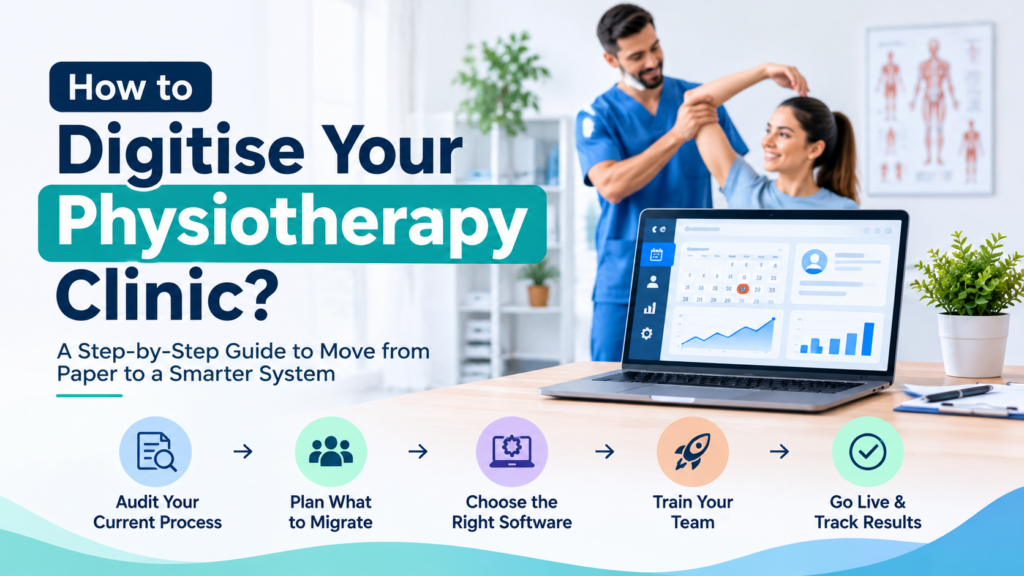
Step 1: Assess Current Clinic Workflows
Before implementation:
-
Map existing processes: Document how patients move through your practice from scheduling to discharge
-
Identify pain points: List current inefficiencies, bottlenecks, and frustrations
-
Define success metrics: Establish measurable goals (reduced no-shows, faster billing, less documentation time)
-
Gather team input: Interview all staff about their needs and concerns
-
Review compliance requirements: Ensure understanding of security and privacy obligations
Deliverable: Written workflow documentation and implementation goals shared with the vendor.
Step 2: Plan Data Migration
Transferring existing information:
-
Data inventory: Identify what information needs migration (active patients, templates, fee schedules)
-
Cleanup existing data: Remove duplicates, correct errors, archive inactive records
-
Migration assistance: Clarify vendor responsibilities vs. practice responsibilities
-
Validation process: Plan how to verify migrated data accuracy
-
Timing strategy: Choose low-volume periods for transition
Timeline consideration: Data migration typically takes 1-4 weeks depending on existing system and record volume.
Step 3: Configure System Settings
Customize the platform:
-
User accounts: Create all therapist and staff accounts with appropriate permissions
-
Templates: Build SOAP note templates, treatment plan formats, and documentation shortcuts
-
Fee schedules: Enter pricing for all services and insurance contracts
-
Appointment types: Configure visit types, durations, and color coding
-
Automated communications: Set up reminder timing, message content, and patient portal invitations
-
Integrations: Connect accounting software, email platforms, and other tools
Best practice: Involve end users in configuration decisions. Therapists should design their own documentation templates.
Step 4: Train All Staff Members
Comprehensive training ensures adoption:
-
Role-based training: Customize training for therapists, front desk, billing staff, administrators
-
Hands-on practice: Use training environments with sample patients, not live data
-
Documentation: Create quick-reference guides for common tasks
-
Super-user designation: Identify team members who will become internal experts
-
Ongoing education: Schedule regular check-ins to address questions and introduce new features
Time investment: Plan 6-8 hours of initial training per person, plus 2-3 weeks of reduced productivity during adjustment.
Step 5: Run Parallel Operations
Minimize transition risk:
-
Dual documentation period: Maintain old and new systems simultaneously for 1-2 weeks
-
Gradual feature adoption: Start with scheduling, add documentation, then billing
-
Daily check-ins: Address questions and problems immediately
-
Compare outputs: Verify that new system produces identical billing and reporting results
-
Patient communication: Inform patients of new scheduling systems, portals, or communication methods
Timeline: Most practices fully transition within 4-6 weeks from implementation start.
Step 6: Configure Automations
Maximize efficiency through automation:
-
Appointment reminders: Set timing, channels, and message content
-
Follow-up sequences: Automate post-visit surveys, home exercise reminders, re-booking prompts
-
Insurance verification: Schedule automatic eligibility checks before appointments
-
Recall campaigns: Set up automated reminders for patients due for follow-up
-
Reporting schedules: Configure automatic delivery of key performance reports
-
Review requests: Automate satisfied patient review solicitations
Step 7: Monitor Key Performance Indicators
Track implementation success:
Clinical efficiency metrics:
-
Documentation time per visit
-
Patient visits per day per therapist
-
Template utilization rates
-
Telehealth session volume
Operational metrics:
-
No-show and cancellation rates
-
Schedule utilization percentage
-
Patient wait times
-
Staff overtime hours
Financial metrics:
-
Days in accounts receivable
-
Collection rates
-
Claim denial rates
-
Revenue per visit
Patient experience metrics:
-
Patient portal adoption rate
-
Patient satisfaction scores
-
Online appointment booking percentage
-
Response time to patient messages
Target: Expect 4-8 week adjustment period before seeing measurable improvements.
Step 8: Optimize Continuously
Implementation never truly ends:
-
Monthly team meetings: Discuss what’s working and what needs adjustment
-
Quarterly vendor check-ins: Review new features and optimization opportunities
-
Annual workflow reviews: Reassess processes as practice evolves
-
Ongoing training: Ensure staff learn advanced features beyond basics
-
Feedback loops: Solicit patient input on new systems (portals, online booking, etc.)
Future Trends in Cloud-Based Physiotherapy Software
The evolution of cloud-based physiotherapy management systems continues accelerating, with several transformative trends emerging.
AI-Powered Virtual Assistants
Next-generation platforms will include:
-
Conversational documentation: “Alexa, document today’s session with John Smith” style interfaces
-
Intelligent scheduling: AI assistants that negotiate appointment times with patients via text
-
Automated patient triage: Virtual assistants collecting preliminary information before appointments
-
Smart task management: AI identifying and prioritizing daily administrative tasks
-
Proactive insights: “Three high-risk patients haven’t scheduled follow-ups” style alerts
These assistants will function as virtual practice managers, handling routine decisions and surfacing important issues requiring human judgment.
Voice-Enabled Clinical Documentation
Speech recognition technology will transform documentation:
-
Ambient clinical documentation: Systems listening to patient encounters and automatically generating notes
-
Hands-free operation: Complete documentation without touching computers or tablets
-
Multi-language support: Real-time translation for multilingual patient populations
-
Speaker identification: Systems distinguishing between therapist and patient voices
-
Context awareness: Understanding clinical terminology specific to physiotherapy
Impact: Documentation time reduction from 15 minutes to 2-3 minutes per patient visit.
Predictive Analytics and Prescriptive Insights
Advanced analytics moving beyond descriptive reporting:
-
Outcome prediction models: Forecasting which patients will achieve functional goals
-
Risk stratification: Identifying patients likely to require extended care or face complications
-
Revenue forecasting: Predicting future revenue based on current patient pipeline and seasonal patterns
-
Optimal treatment protocols: Recommending exercise progressions based on patient response patterns
-
Capacity planning: Forecasting staffing needs based on projected demand
Wearable Device and IoT Integration
Connected devices transforming home exercise monitoring:
-
Exercise adherence tracking: Wearables confirming home exercise program completion
-
Movement quality assessment: Sensors analyzing exercise technique between appointments
-
Pain and symptom tracking: Real-time patient-reported outcome collection
-
Activity level monitoring: Tracking daily steps, activity intensity, and recovery patterns
-
Automated progress updates: Wearable data automatically updating patient records
Example application: A knee replacement patient’s wearable automatically tracks range of motion exercises, alerts the therapist to adherence issues, and adjusts the home exercise program based on performance data.
Advanced Remote Patient Monitoring
Expanded telehealth capabilities:
-
Asynchronous video submission: Patients recording exercises for therapist review
-
Computer vision analysis: AI evaluating movement patterns and providing form feedback
-
Virtual reality rehabilitation: VR-based exercises integrated with clinic software
-
Continuous vital sign monitoring: Integration with blood pressure, heart rate, and other health metrics
-
Smart home integration: Environmental sensors monitoring fall risk and daily activity patterns
Blockchain for Health Records
Distributed ledger technology addressing interoperability:
-
Patient-controlled health records: Individuals managing access to their complete health history
-
Seamless information exchange: Automatic sharing with authorized providers regardless of system
-
Immutable audit trails: Permanent record of all record access and modifications
-
Credential verification: Instant confirmation of provider licenses and certifications
-
Smart contracts: Automated insurance authorization and payment processes
Personalized Treatment Algorithms
Machine learning creating individualized care pathways:
-
Genetic information integration: Treatment customization based on genetic predispositions
-
Phenotype-based protocols: Matching patients to optimal treatment approaches based on presentation patterns
-
Response prediction: Forecasting which interventions will be most effective for specific patients
-
Dynamic protocol adjustment: Algorithms modifying treatment plans based on progress data
-
Precision exercise prescription: Optimal exercise selection, dosage, and progression for individual patients
Advanced Telehealth Capabilities
Next-generation virtual care:
-
Holographic consultations: 3D patient visualization for remote assessments
-
Haptic feedback devices: Therapists “feeling” patient tissue tension remotely
-
Augmented reality guidance: Patients seeing exercise cues overlaid on their environment
-
Multi-modal assessment: Integration of video, wearables, and patient-reported outcomes
-
AI-assisted physical examination: Computer vision analyzing posture, gait, and movement quality
Ecosystem Integration
Breaking down data silos:
-
Hospital system integration: Seamless referrals and information exchange with acute care
-
Health plan connections: Direct integration with insurance authorization and payment systems
-
Social determinants of health: Integration of transportation, food security, and social service data
-
Fitness and wellness platforms: Connection to consumer health apps and gym memberships
-
Employer health programs: Direct integration with corporate wellness initiatives
Autonomous Scheduling and Resource Optimization
Self-managing clinic operations:
-
AI scheduling agents: Autonomous negotiation of appointment times with minimal human intervention
-
Dynamic capacity allocation: Real-time scheduling adjustments based on demand fluctuations
-
Predictive maintenance: Equipment and facility maintenance automatically scheduled based on usage
-
Staff optimization: Automated scheduling of therapists, support staff, and resources
-
Revenue optimization: Intelligent scheduling prioritizing high-value appointments and minimizing gaps
Timeline: These capabilities will emerge gradually over 3-10 years, with early adopters seeing benefits first.
People Also Ask
Can physiotherapists work remotely?
Yes, physiotherapists can work remotely through cloud-based practice management software that provides secure access to patient records, scheduling, billing, and telehealth capabilities from any internet-connected device. Remote work includes telehealth consultations, administrative tasks from home, documentation between clinic sites, and managing multiple locations.
Is cloud-based physiotherapy software secure?
Cloud-based physiotherapy software is typically more secure than on-premise systems, featuring enterprise-grade encryption, HIPAA compliance, multi-factor authentication, automatic backups, professional security monitoring, and redundant infrastructure. Reputable vendors maintain SOC 2 and HITRUST certifications with dedicated security teams protecting patient data.
What devices can access cloud clinic software?
Cloud physiotherapy software works on smartphones (iOS and Android), tablets, desktop computers, laptops, and any device with a modern web browser. Most platforms offer native mobile apps plus responsive web interfaces, allowing therapists to work from their preferred devices with full feature access.
Is cloud software better than desktop software?
Cloud software offers superior accessibility, automatic updates, lower upfront costs, professional security management, automatic backups, and multi-device access compared to desktop systems. Cloud platforms enable remote work, telehealth delivery, and multi-location management impossible with traditional desktop software, making them the better choice for modern practices.
Can cloud software support multiple clinic locations?
Yes, cloud-based physiotherapy practice management software excels at multi-location support, providing centralized patient records, cross-location scheduling, consolidated billing, unified reporting, and consistent workflows across all sites. Therapists can access information from any location, and administrators can manage multiple clinics from a single dashboard.
Does cloud physiotherapy software include telehealth?
Many cloud physiotherapy platforms include integrated HIPAA-compliant telehealth capabilities, offering video consultations, screen sharing, secure messaging, virtual waiting rooms, and session documentation within the same system. Integration eliminates the need for separate telehealth platforms and maintains all patient information in one location.
How much does cloud-based physiotherapy software cost?
Cloud physiotherapy software typically costs $50-$200 per provider per month, depending on features, practice size, and included modules. Pricing models include per-user subscriptions, per-location fees, or percentage of revenue. Most vendors offer tiered pricing with basic, professional, and enterprise levels, plus additional costs for telehealth, advanced analytics, or integrations.
Can solo physiotherapists benefit from cloud software?
Solo physiotherapists gain significant benefits from cloud software including professional documentation systems, automated appointment reminders, online scheduling, payment processing, telehealth capabilities, and mobile access to records. Even single-practitioner practices see reduced administrative time, fewer missed appointments, and improved patient experience justifying the investment.
Frequently Asked Questions
How long does it take to implement cloud-based physiotherapy software?
Most practices fully implement cloud physiotherapy software within 4-6 weeks, including data migration, system configuration, staff training, and parallel operation testing. Simple implementations for solo practitioners may complete in 1-2 weeks, while large multi-location practices might require 8-12 weeks for comprehensive deployment.
Can I access my cloud software without internet connection?
Most cloud physiotherapy platforms require internet connectivity for full functionality. Some systems offer limited offline modes allowing basic documentation or schedule viewing, which synchronizes when connection restores. However, internet dependency is rarely problematic given widespread connectivity via WiFi, cellular data, and mobile hotspots.
What happens to my data if I cancel my subscription?
Reputable cloud software vendors provide data export capabilities allowing you to download complete patient records, billing history, and clinical documentation in standard formats (PDF, CSV, HL7) before cancellation. Review contract terms regarding data retention periods and export assistance to ensure smooth transitions if changing systems.
How does cloud software handle internet outages?
During internet outages, cloud software becomes temporarily inaccessible. Best practices include maintaining mobile hotspot capabilities for backup connectivity, using offline documentation methods for emergencies, and choosing vendors with 99.9%+ uptime guarantees. Most practices experience minimal disruption given internet reliability and mobile backup options.
Can cloud physiotherapy software integrate with my accounting system?
Most cloud physiotherapy platforms integrate with popular accounting software including QuickBooks, Xero, and FreshBooks through direct integrations or API connections. These integrations automatically transfer revenue, expenses, and payment data, eliminating duplicate entry and ensuring financial record accuracy.
Is training included with cloud software subscriptions?
Training inclusion varies by vendor. Most cloud physiotherapy software providers offer initial onboarding training, video tutorials, and documentation as part of subscription costs. Some charge additional fees for extensive training, on-site implementation assistance, or ongoing education. Clarify training offerings before purchasing.
Can patients access their own records through cloud software?
Yes, most cloud physiotherapy systems include patient portals allowing secure access to appointment history, treatment plans, exercise programs, billing statements, and clinical summaries. Patients can typically schedule appointments, complete intake forms, communicate with providers, and make payments through portal interfaces.
How do cloud systems handle prescription and exercise program sharing?
Cloud physiotherapy software typically includes exercise libraries with video demonstrations that therapists customize into home exercise programs. These programs share with patients via email, patient portal access, or dedicated mobile apps. Patients view exercises with proper form videos, track completion, and report difficulties directly to therapists.
What happens during system maintenance or updates?
Cloud software vendors perform maintenance and updates outside business hours (typically late night or early morning) to minimize disruption. Updates occur automatically without user action, and most happen without any system downtime. When downtime is necessary, vendors provide advance notice and schedule during low-usage periods.
Can I customize templates and workflows?
Quality cloud physiotherapy software offers extensive customization including SOAP note templates, treatment plan formats, exercise protocols, automated communications, and workflow configurations. Customization depth varies by platform—evaluate customization capabilities during vendor evaluation to ensure the system adapts to your practice style.
How does billing work for telehealth visits?
Cloud physiotherapy software handles telehealth billing identically to in-person visits, with automatic application of telehealth-specific CPT codes and modifiers. Systems track visit duration, apply appropriate billing codes, and submit insurance claims electronically. Many platforms include telehealth-specific documentation templates ensuring compliance with payer requirements.
Can the system handle workers’ compensation and auto insurance cases?
Advanced cloud physiotherapy platforms support workers’ compensation and auto insurance billing with specialized documentation templates, attorney lien management, treatment authorization tracking, and payer-specific reporting requirements. Verify workers’ compensation capabilities if this represents a significant portion of your practice revenue.
Final Conclusion
Cloud-based clinic software has fundamentally transformed physiotherapy practice management, evolving from a convenience to an essential infrastructure for modern healthcare delivery. The ability to work from anywhere—whether conducting home visits, managing multiple clinic locations, delivering telehealth consultations, or simply balancing professional and personal responsibilities—provides unprecedented flexibility for practitioners.
Why Cloud Software Is Now Essential
The healthcare landscape demands agility that traditional systems cannot provide. Patient expectations for convenient access, insurance requirements for comprehensive documentation, operational pressures for efficiency, and competitive dynamics favoring technologically advanced practices all point toward cloud-based solutions as the only viable path forward.
Physiotherapists adopting cloud-based physiotherapy practice management software report:
-
30-40% reduction in administrative time
-
40-60% decrease in appointment no-shows through automated reminders
-
15-25% revenue increase from improved scheduling efficiency and billing accuracy
-
Significant improvement in work-life balance through flexible documentation and management
-
Enhanced patient satisfaction through convenient self-service portals and communication
Operational Transformation
Beyond individual practitioner benefits, cloud physiotherapy software transforms entire practice operations. Multi-location clinics operate as unified entities rather than fragmented offices. Team collaboration becomes seamless regardless of physical location. Data-driven decision-making replaces intuition-based management. Patient care coordination reaches new levels of effectiveness.
The automation capabilities alone justify cloud adoption—appointment reminders, insurance verification, billing processes, and patient communication that previously consumed hours of staff time now occur automatically. This efficiency translates directly to either increased revenue from higher patient volume or reduced overhead through leaner operations.
Superior Patient Experiences
From the patient perspective, cloud-enabled practices offer dramatic improvements:
-
Convenient online scheduling replacing phone tag
-
Automated appointment reminders reducing missed visits
-
Telehealth access eliminating travel requirements for appropriate cases
-
Patient portals providing 24/7 access to health information
-
Digital exercise programs with video guidance accessible from smartphones
-
Secure messaging for quick questions between appointments
-
Transparent billing with online payment options
These conveniences meet modern consumer expectations formed by experiences with other service industries. Practices offering traditional-only experiences increasingly struggle to compete.
Future-Ready Infrastructure
Perhaps most importantly, cloud-based physiotherapy clinic software provides a foundation for emerging technologies. Artificial intelligence, predictive analytics, wearable device integration, advanced telehealth capabilities, and precision medicine approaches all require the data infrastructure, computational power, and connectivity that cloud platforms provide.
Practices built on on-premise systems face eventual obsolescence as these technologies become standard expectations. Cloud adoption represents not just immediate operational improvement but strategic positioning for the future of healthcare delivery.
Taking Action
For practices still operating on paper-based systems, traditional desktop software, or fragmented digital tools, the transition to comprehensive cloud-based physiotherapy software represents the single most impactful operational improvement available.
Implementation success follows these principles:
-
Choose thoughtfully using the evaluation criteria outlined in this guide
-
Involve your team in selection and configuration decisions
-
Invest in training to ensure full feature utilization
-
Start comprehensively rather than phased partial adoption
-
Monitor metrics to validate expected improvements
-
Optimize continuously as your practice evolves
The question is no longer whether to adopt cloud-based clinic software, but rather which platform best serves your specific practice needs and how quickly you can realize the transformative benefits.
The future of physiotherapy practice is cloud-based, mobile, data-driven, and patient-centered. The technology to deliver that future is available today.