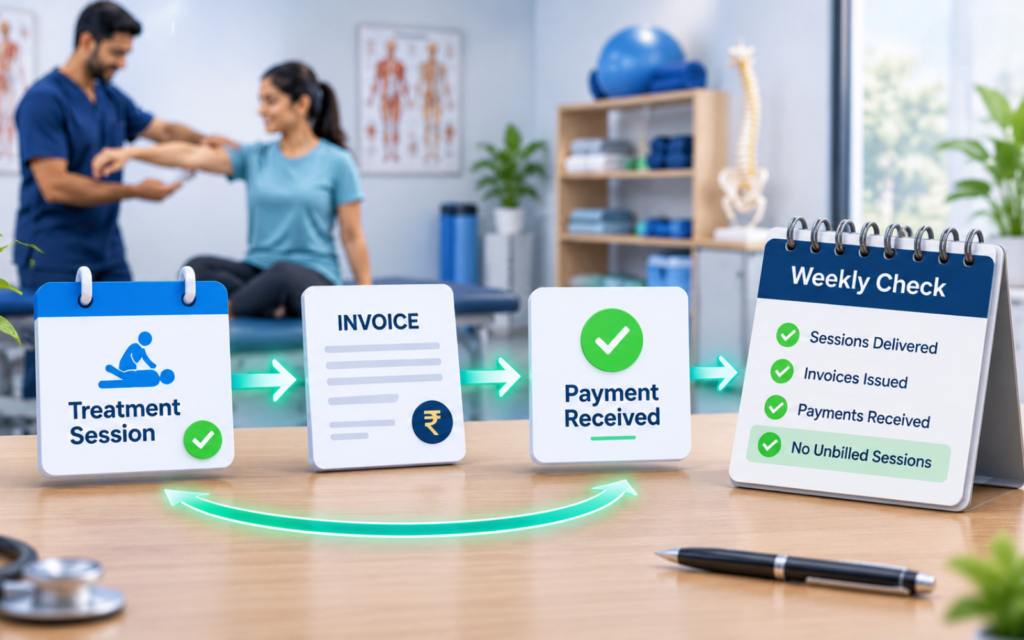

Managing a busy practice often feels like a balancing act between patient care and administrative chores, particularly when it comes to physiotherapy clinic payment tracking. In the fast paced world of rehabilitation, ensuring that every session is documented and every invoice is paid is essential for long term sustainability. Phyjio, a purpose-built SaaS platform, was designed specifically to help clinic owners, practice managers, and therapists shift their focus away from paperwork and back toward their patients.
By integrating patient records, session tracking, and billing into a single dashboard, the platform provides a clear, real time snapshot of clinic performance. This guide explores how to utilize these specialized tools to streamline your financial workflows and ensure your clinic’s revenue stays on track.
1. The Foundation: Financial Oversight from the Dashboard
The first step in effective physiotherapy clinic payment tracking is having immediate access to your data. The Phyjio dashboard acts as your clinic’s command center, offering four key metric cards at the top of the screen:
-
Revenue: Displays the total revenue earned from all patient visits and treatment programs.
-
Outstanding: Shows the total unpaid balances across your entire patient database.
-
Patients: Provides a count of total registered patients.
-
Active Treatment Plans: Tracks how many rehab or exercise programs are currently ongoing.
To dive deeper into your growth, the Revenue Trend Chart visualizes your earnings over the current year. You can toggle between three specific views to see where your money is coming from:
-
Total: Combined revenue from all sources.
-
Session: Revenue specifically from treatment sessions.
-
Consultation: Revenue generated from initial assessments.
2. Roles and Permissions: Securing Your Billing Data
Not every staff member needs access to the clinic’s financial records. Effective physiotherapy clinic payment tracking requires a system of checks and balances. Phyjio uses a role based access control system to define exactly what each user can see and do:
|
Role |
Financial Access Level |
|
Owner |
Complete operational and financial access. |
|
Admin |
Handles day-to-day admin tasks and senior management. |
|
Receptionist |
Focused on patient check-ins, scheduling, and billing. |
|
Therapist |
Access to treatment plans and session documentation. |
With 31 individual permissions organized into 9 categories, owners can customize roles to ensure that sensitive “Receipt” and “Report” data is only available to trusted personnel.
3. The Patient Journey: Tracking Payments at the Individual q
Financial tracking begins the moment a patient is registered. In the Patients module, every individual is assigned a unique, auto generated Patient Number (e.g., PT202603180015).
Once a patient is selected, their Patient Profile Page becomes the source of truth for their financial history. The profile is organized into tabs that offer a granular look at their account:
-
Treatment Plans Tab: Displays the total number of plans assigned, the total amount paid toward those plans, and the current outstanding balance.
-
Visits Tab: Summarizes the total number of visits, amounts paid, and pending balances for individual appointments.
-
Receipts Tab: Lists every financial transaction, including total receipts, total paid, and any discounts applied to the patient’s account.
4. Strategic Billing with Treatment Plans
For long-term rehabilitation, a centralized system for physiotherapy clinic payment tracking ensures that no session goes unbilled. When creating a Treatment Plan, you define the scope and billing for the entire course of treatment up front.
The Billing and Fees section of a treatment plan allows for high level customization:
-
Payment Type: Choose between standard paid plans or “Free of Charge” (FOC) sessions.
-
Fee Per Session: Set a unit price per visit.
-
Discounts: Apply fixed amount or percentage-based discounts.
-
Payment Methods: Record payments as Cash, Online, or Split.
-
Advance Paid: Track any upfront deposits made at the start of the program.
5. Managing Daily Transactions: Visits and Receipts
The Visits module handles the daily flow of your clinic. To simplify the workflow, the system allows you to log a visit and collect payment simultaneously. When creating a visit, you can choose between an Initial Consultation (first time assessment) or a Treatment Session (linked to an active plan).
To ensure accuracy, the visit form includes specific payment details:
-
Fee Amount: The standard charge for the visit.
-
Amount Paid: Tracks how much the patient paid at the time of the appointment.
-
Submit with Receipt Print: Saves the record and immediately generates a printable receipt for the patient.
For more complex financial management, the Receipts module allows you to link a single payment to multiple pending items. By utilizing the dedicated Receipts module, your staff can master physiotherapy clinic payment tracking by linking specific payments to visits or treatment plans. The system displays the patient’s “Total Outstanding” balance and allows you to enter the “Amount Settling” to finalize the transaction.
6. Advanced Configuration and Reporting
Consistent physiotherapy clinic payment tracking allows owners to generate precise monthly revenue reports. Within the Reports module, you can generate financial summaries based on your preferred timeframe: Daily, Weekly, Monthly, or Yearly. Simply select your start and end dates to view a total revenue summary for that period.
To ensure your financial data is compliant and professional, the Billing Configuration settings allow you to customize how taxes and fees are handled:
-
Tax Management: Toggle tax visibility on invoices, set your own Tax Field Label (e.g., GST or VAT), and set the applicable tax rate.
-
Tax Inclusive Toggle: If enabled, the system automatically calculates prices with tax already included.
-
Default Fees: Save time by setting standard fees for Consultations and Sessions, which will then auto-populate during visit creation.
By leveraging these integrated tools, physiotherapy clinics can eliminate the chaos of manual bookkeeping and maintain a professional, profitable practice.
Final Thoughts: Taking Control of Your Clinic’s Financial Health
Effective physiotherapy clinic payment tracking is more than just a back-office necessity; it is the backbone of a sustainable and professional practice. When your financial data is scattered across paper logs or disconnected spreadsheets, it’s easy for revenue to slip through the cracks whether through unbilled sessions, forgotten follow ups, or untracked outstanding balances.
By transitioning to a digital, integrated system like Phyjio, you shift the burden of administrative math from your staff to your software. You gain the ability to see exactly where your revenue stands at a glance, ensure every therapist is working within their authorized scope, and provide patients with a transparent, professional billing experience.
Ultimately, the goal of streamlining your payment tracking is to give you back the most valuable resource you have: time. When you spend less time chasing invoices and reconciling receipts, you can spend more time focusing on what truly matters helping your patients reach their recovery goals. Take the step toward a more organized clinic today, and let your paperwork run itself.